Features

One device. Everything a photo booth does.

Live green-screen keying, a hands-free remote, prints, boomerangs and videos, QR downloads, Club mode for a booth you leave running all night, and your own branding. Here’s all of it, and which plans have each part.

87 features, 9 groups

Start anywhere. It all works on one device.

The screenshots are the app itself, straight from its test suite. Each feature shows the plans that include it, with a note where a plan gets less or a part needs a particular plan.

01 · Green screen and camera · 7 features

A clean key, live, before anyone says cheese.

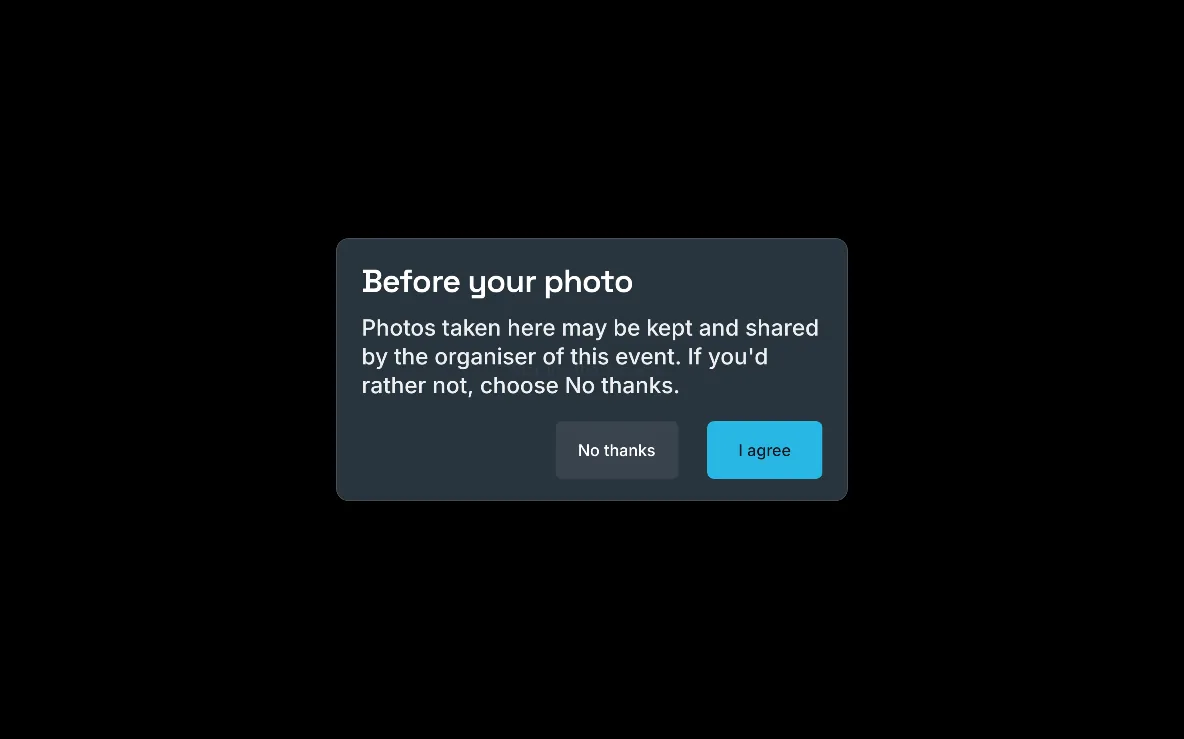
Guests see themselves on the backdrop as they pose, and the saved photo is keyed exactly as they saw it. Tune the key at the venue in a minute, or leave the green screen at home and let on-device AI do it.

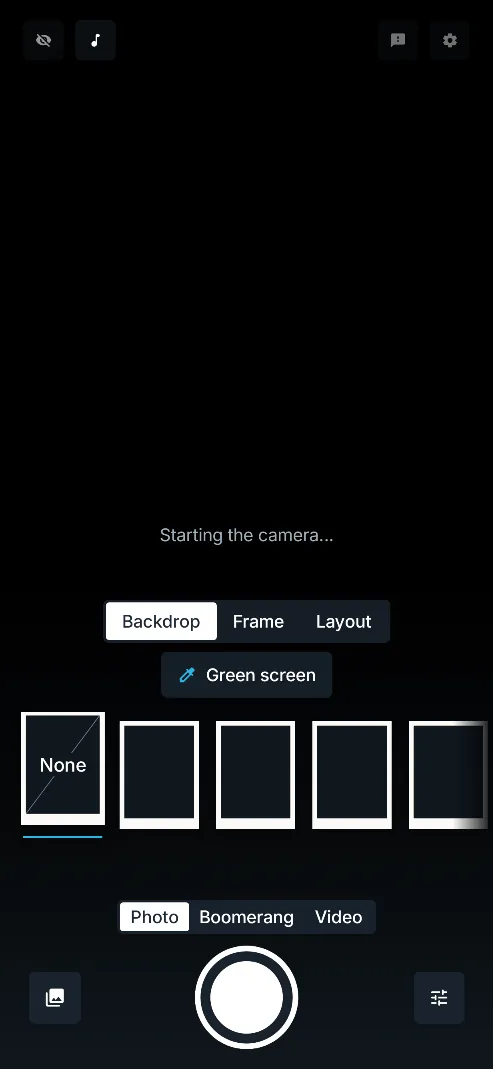
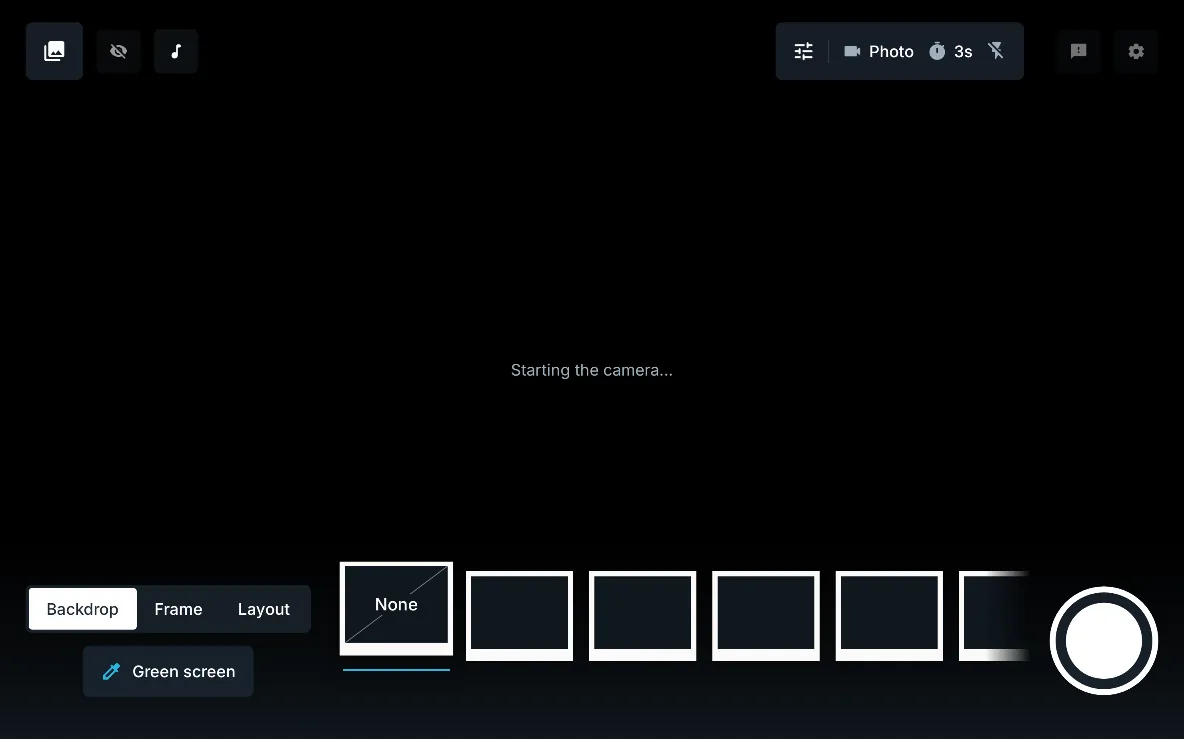
The booth screen as the camera starts: the tray with Backdrop, Frame and Layout tabs and the Green screen button, the prints carousel and the shutter, on a large screen in landscape.

Live green-screen keying

Guests see themselves on the backdrop live, before the photo is taken, and the saved photo is keyed exactly as they saw it.

Why it mattersGuests frame themselves and pose with confidence, and there are no surprises when the photo appears.

  • Free
  • Personal
  • White label
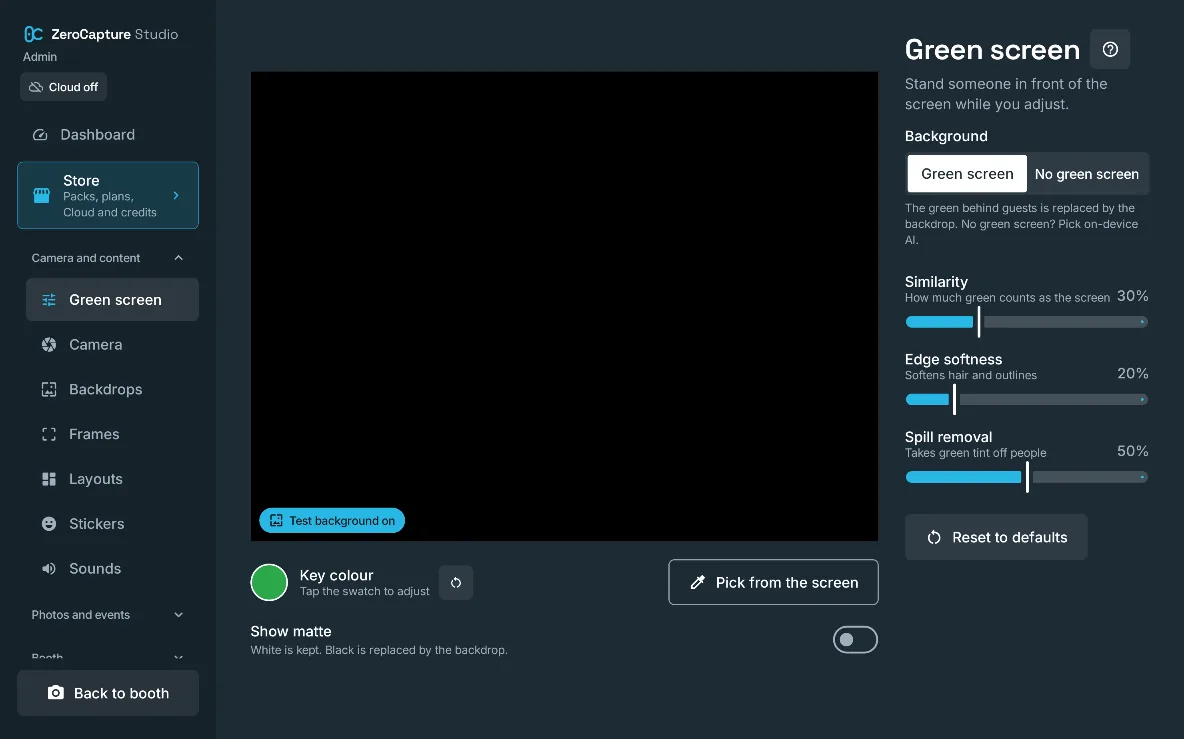
The Green screen section of admin: a preview, Green screen or No green screen, the key colour, Pick from the screen, Show matte and the Similarity, Edge softness and Spill removal sliders, on a large screen in landscape.

Pick the key from the screen

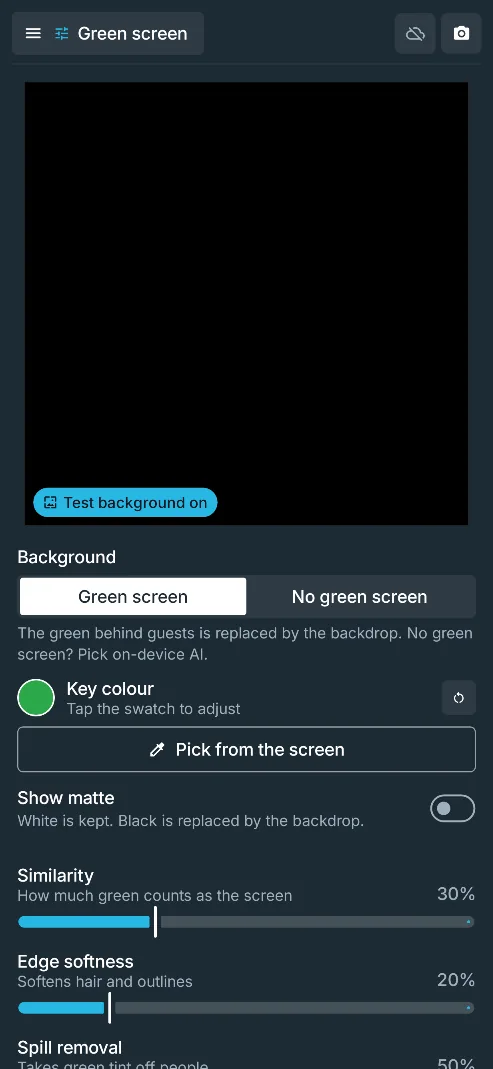
Tap the green screen on the preview to set the key colour, fine-tune Similarity, Edge softness and Spill removal while a black-and-white matte shows what is kept, and do the same from the booth's Green screen button.

Why it mattersA clean key in a minute at the venue, under the real lighting, while seeing exactly what guests see; on White label you can hide the booth's button from the people who hire it.
  • Free
  • Personal
  • White label
Hiding the booth's button: White label
The Green screen section of admin: a preview, Green screen or No green screen, the key colour, Pick from the screen, Show matte and the Similarity, Edge softness and Spill removal sliders, on a phone.

Background removal without a green screen

On-device AI finds the people in the picture and replaces everything else with the backdrop, with no green screen at all.

Why it mattersRun a booth where a green screen won't fit, and nothing is sent off the device. A lit green screen still gives the cleanest edges.

  • Free
  • Personal
  • White label
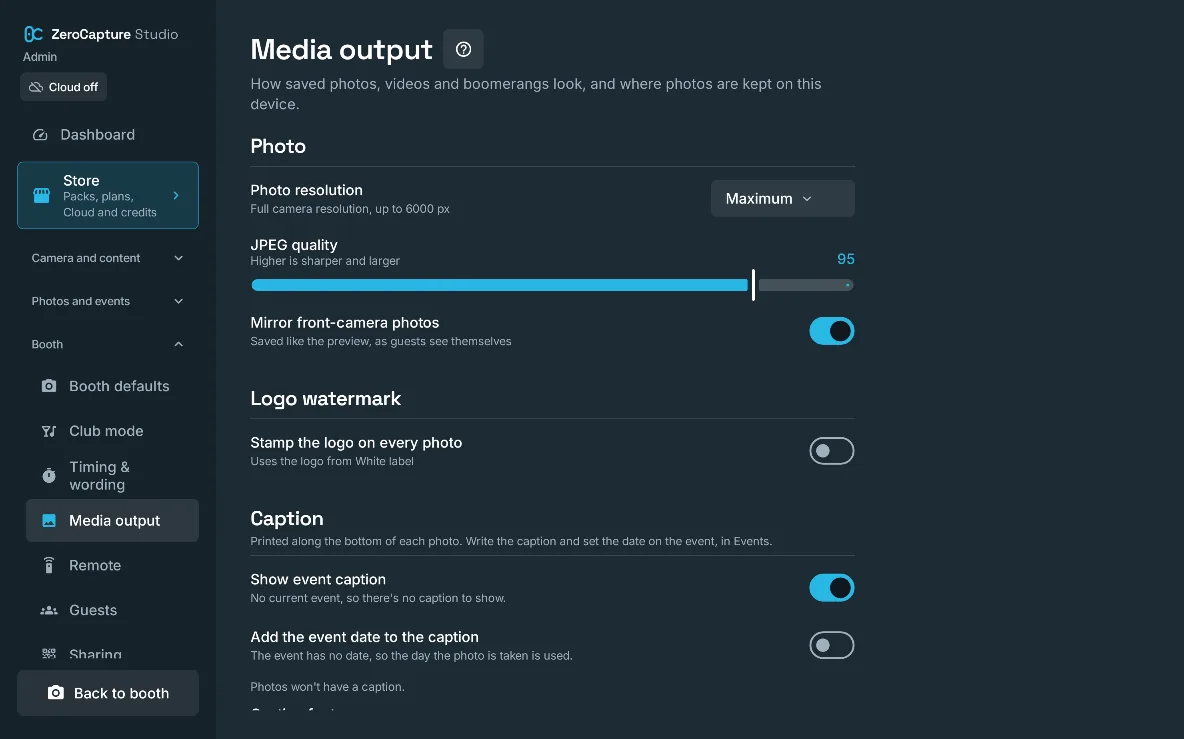
Media output in admin: photo resolution, JPEG quality, mirrored front-camera photos, the animated GIF, the logo watermark and the event caption, on a large screen in landscape.

Full-resolution photos

Every photo is a full-resolution still from the camera, keyed and laid out on a sheet, never a screenshot of the preview.

Why it mattersPhotos are sharp enough to print, at up to 6000 px on the long edge.

  • Free
  • Personal
  • White label
Free: Balanced or Standard

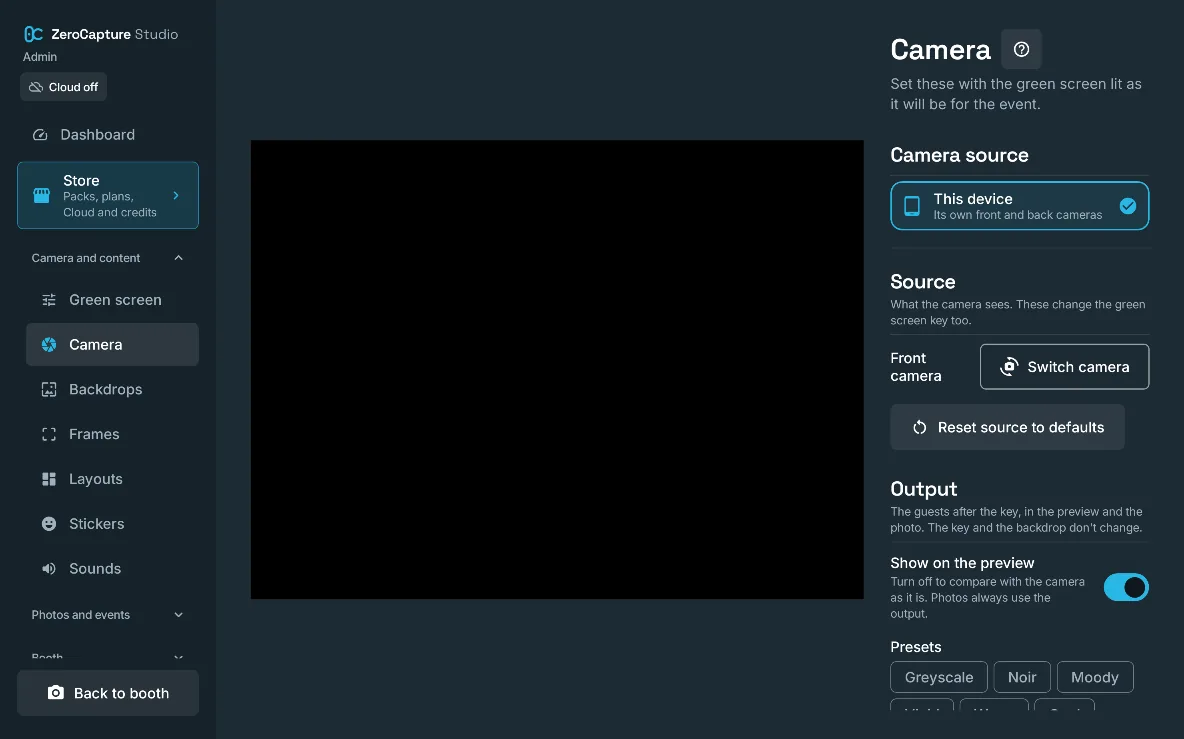
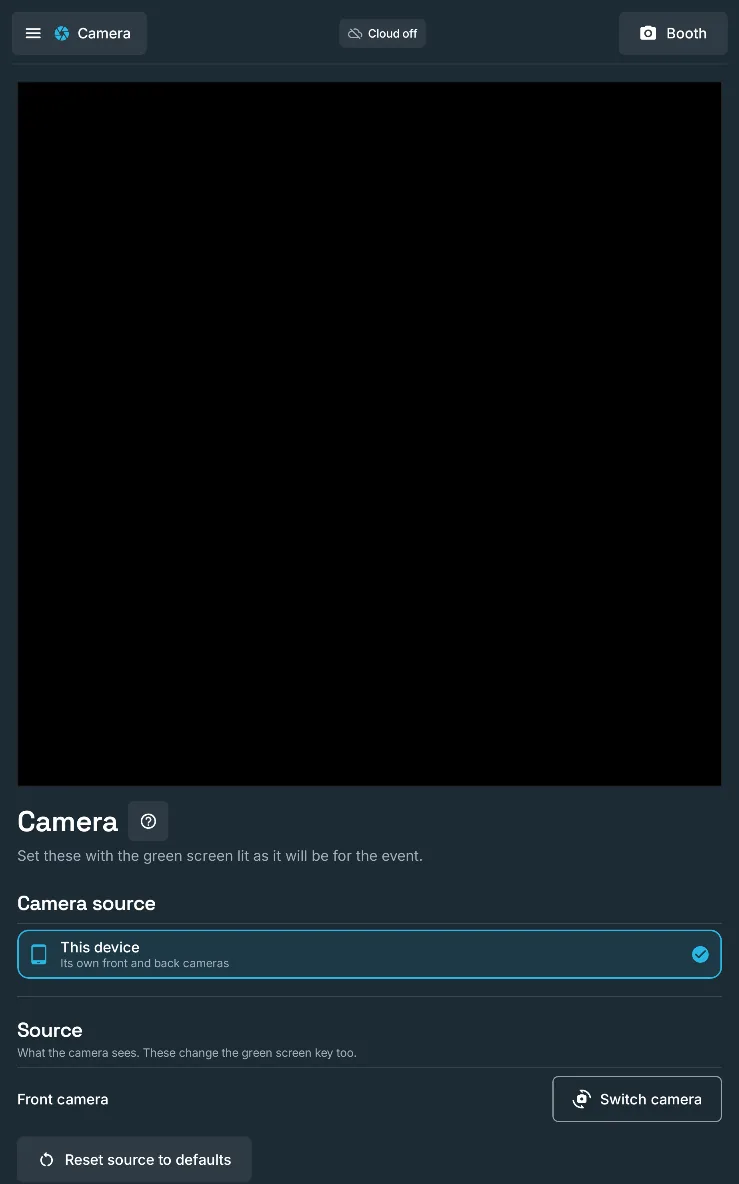
The Camera section of admin: the camera preview, front or back camera, and the output look with presets such as Greyscale, Noir and Moody, on a large screen in landscape.

Front and back cameras, wide-angle zoom

Use either camera, each with its own zoom; below 1× the booth switches to the wide-angle lens where the device has one, and front-camera photos can be saved mirrored or true to life.

Why it mattersFit a big group into a small room, and keep signs in the scene reading the right way round.

  • Free
  • Personal
  • White label
The Camera section of admin: the camera preview, front or back camera, and the output look with presets such as Greyscale, Noir and Moody, on a large screen in portrait.

Steady exposure and focus

Lock exposure and colour, expose for faces, tap to hold focus, and auto framing where the camera offers it.

Why it mattersThe key stays steady as guests in dark or bright clothes step in, and faces aren't left dark against a bright screen.

  • Free
  • Personal
  • White label
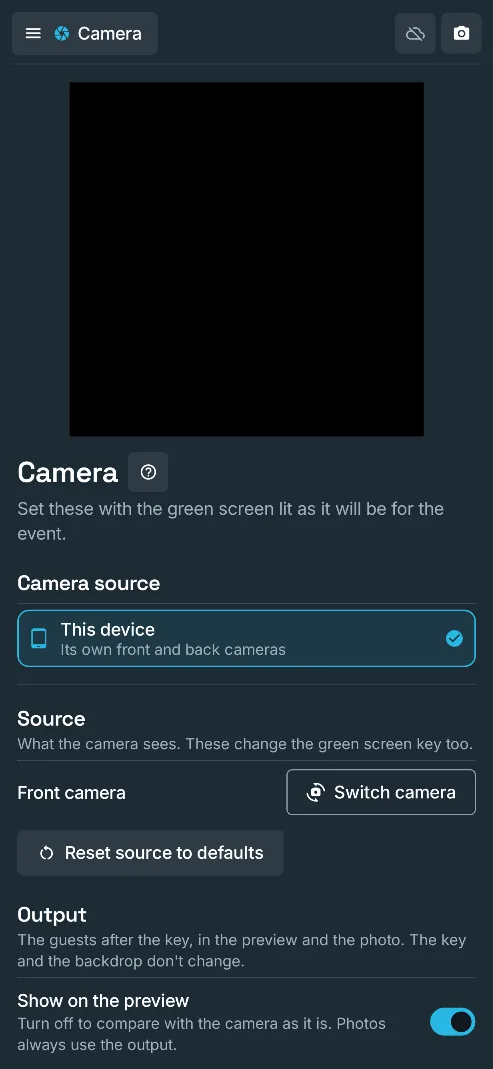
The Camera section of admin: the camera preview, front or back camera, and the output look with presets such as Greyscale, Noir and Moody, on a phone.

Output look and presets

Grade the guests after the key with brightness, contrast, saturation, warmth and tint, or one-tap presets such as Noir, Vintage and Warm.

Why it mattersGive an event a consistent look, or match the guests to a moody backdrop, without editing afterwards.

  • Free
  • Personal
  • White label
Free: sliders only

02 · Guest experience · 20 features

Hands off the screen. Eyes on the camera.

A remote in their hand, a countdown they can read across the room, a silly noise at the right moment and a print that drops onto the screen. Photos, boomerangs and videos, all from the same booth.

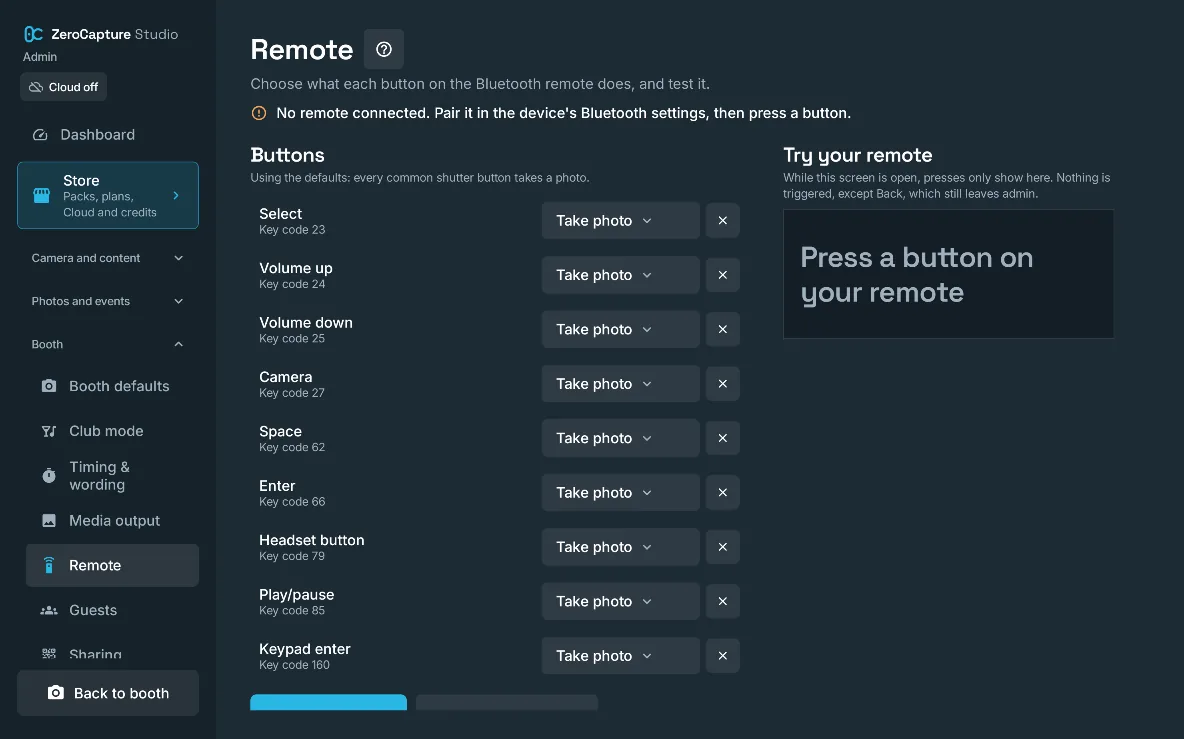
The Remote section of admin: each remote button set to Take photo, and a Try your remote panel that shows each press, on a large screen in landscape.

Hands-free with a Bluetooth remote

Guests stand 1.5 to 3 metres back and take photos with a Bluetooth remote; nobody needs to touch the screen.

Why it mattersFull-length group shots and no fingerprints on the screen; any common shutter remote, keyboard or headset works out of the box.

  • Free
  • Personal
  • White label
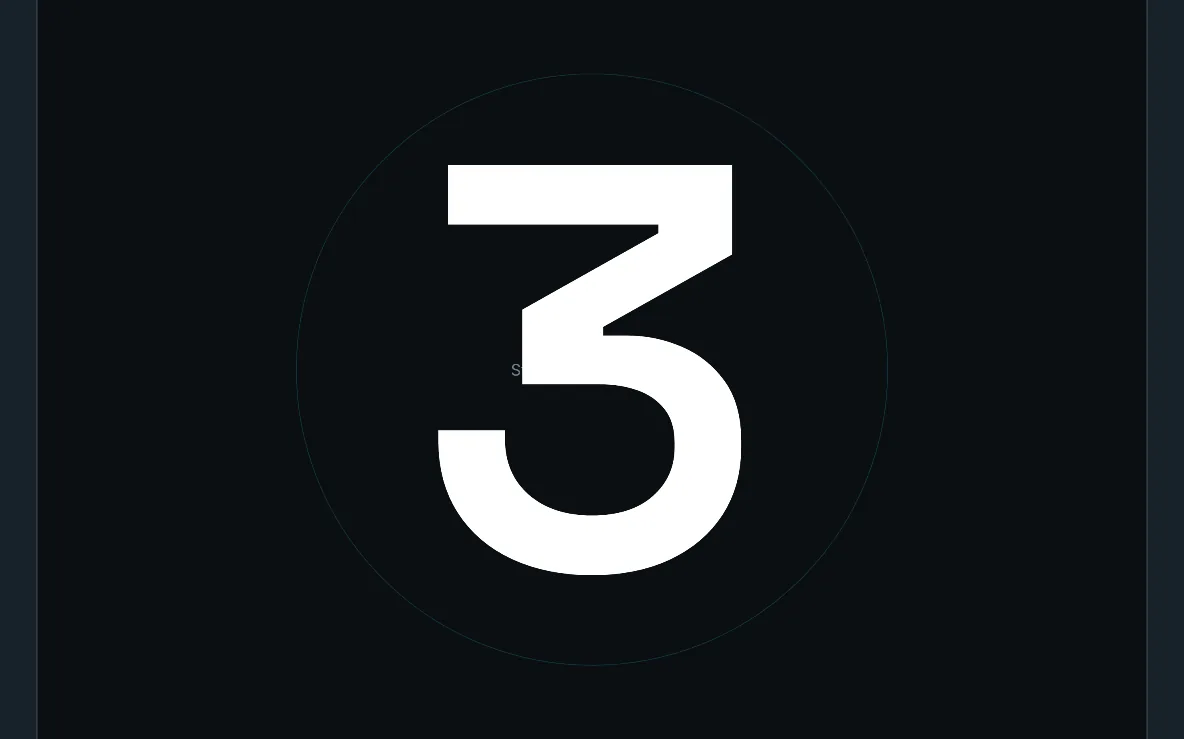
A large 3 in the countdown ring, filling the booth screen, on a large screen in landscape.

Countdown, smile hold and screen flash

A large countdown in a draining ring, a moment's hold to smile, and a white screen flash that lights faces for the photo.

Why it mattersGuests are ready when the photo is taken, and faces stay bright in a dim venue.

  • Free
  • Personal
  • White label
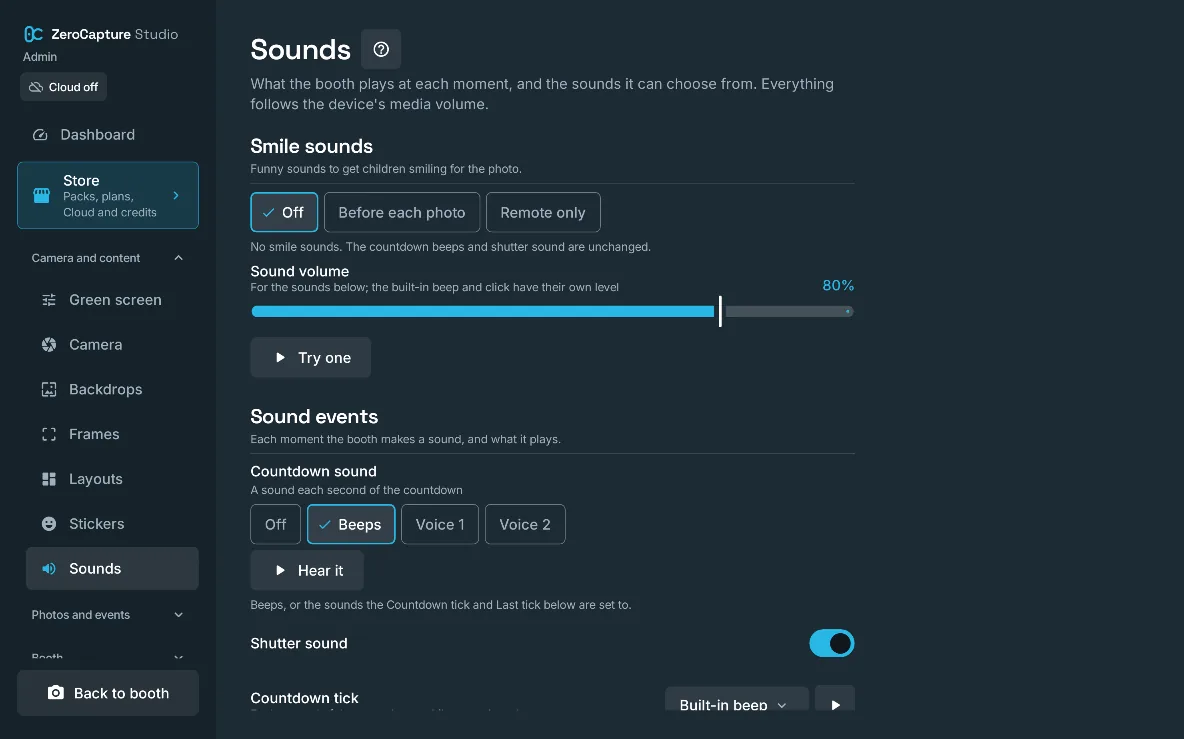
The Sounds section of admin: smile sounds before each photo or on the remote, the sound volume, and the countdown sound as beeps or a voice, on a large screen in landscape.

Countdown voices

The countdown can beep, or a voice can count down, with an optional "Are you ready?" before the first shot.
Why it mattersGuests across a noisy room know exactly when the photo is coming.

  • Free
  • Personal
  • White label
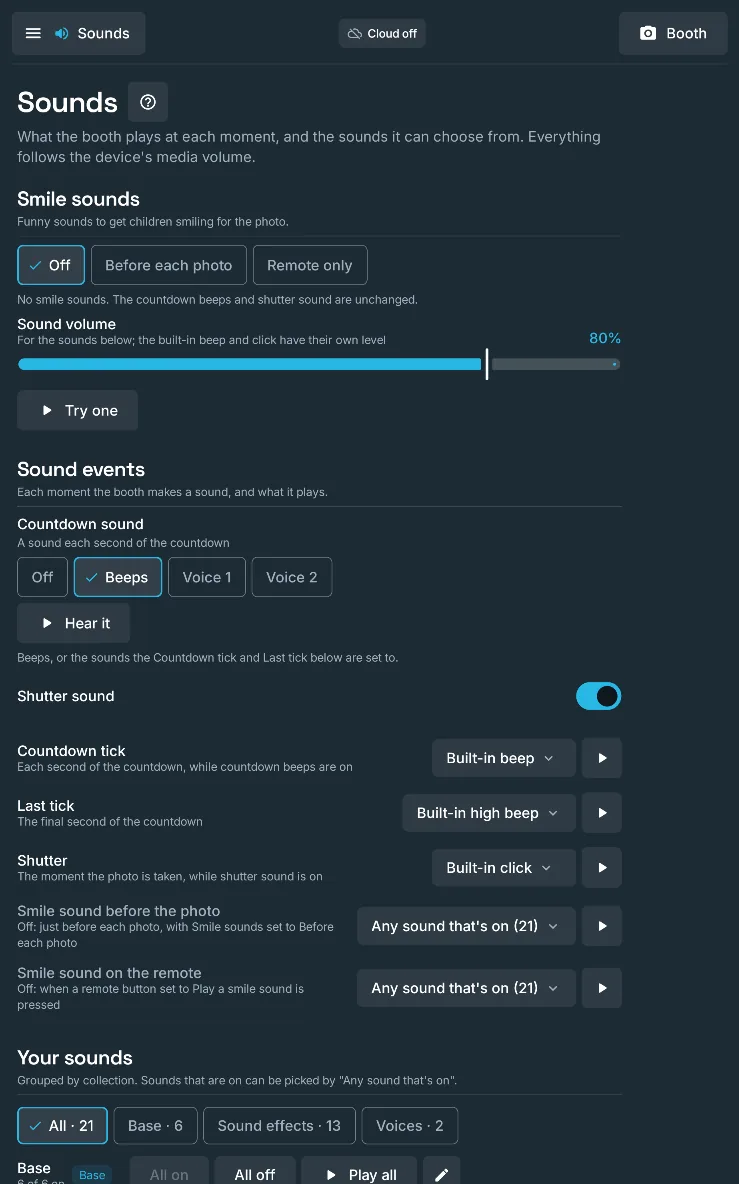
The Sounds section of admin: smile sounds before each photo or on the remote, the sound volume, and the countdown sound as beeps or a voice, on a large screen in portrait.

Smile sounds

Short funny sounds, such as a boing, a quack or a trumpet, play just before the photo, or on a remote button without taking one; guests can pick their own.

Why it mattersGets children, and plenty of adults, laughing at the right moment.

  • Free
  • Personal
  • White label

Free: before the photo only

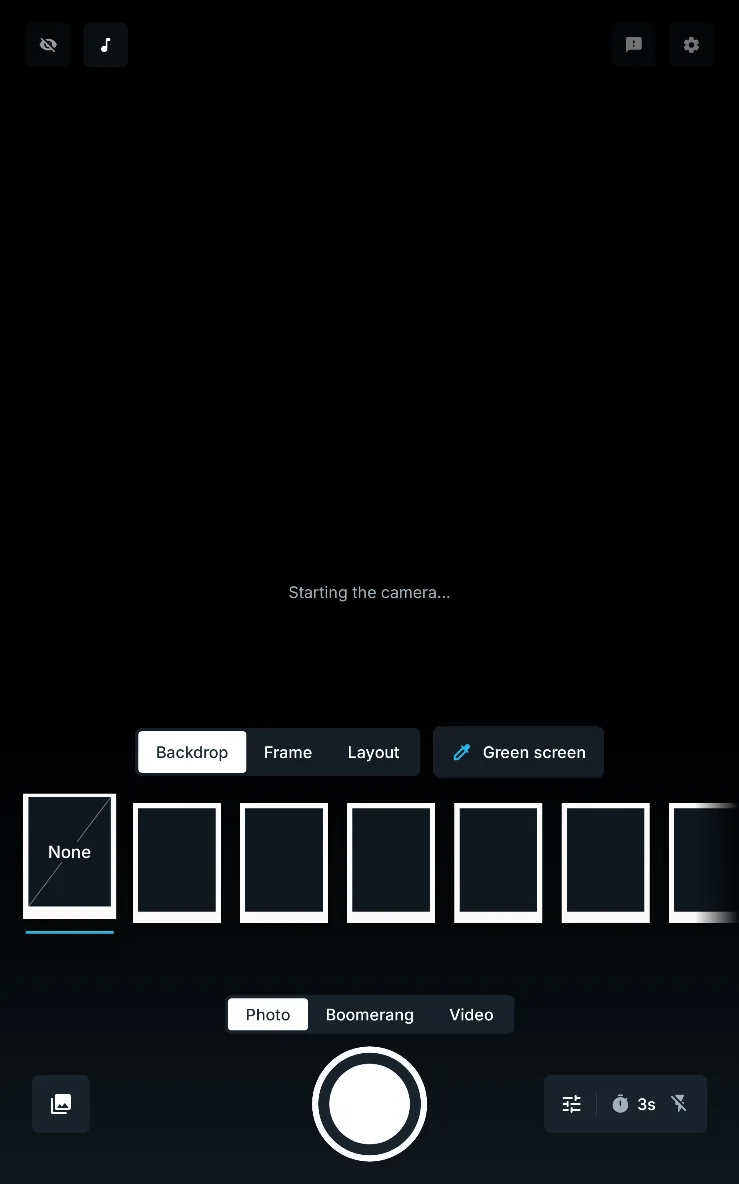
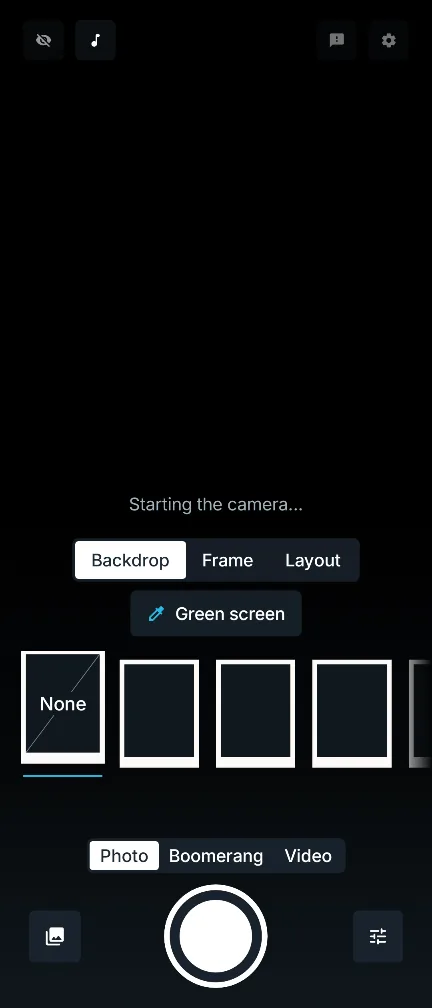
The booth screen held upright as the camera starts: the backdrop tray, the Photo, Boomerang and Video switch, and the shutter between the gallery and quick settings buttons, on a large screen in portrait.

Backdrop, frame and layout tray

Guests choose a backdrop, frame and layout from a carousel of prints, browsing by collection, and a tap applies it at once.

Why it mattersEvery group makes the photo their own, and you decide which choices they get.

  • Free
  • Personal
  • White label
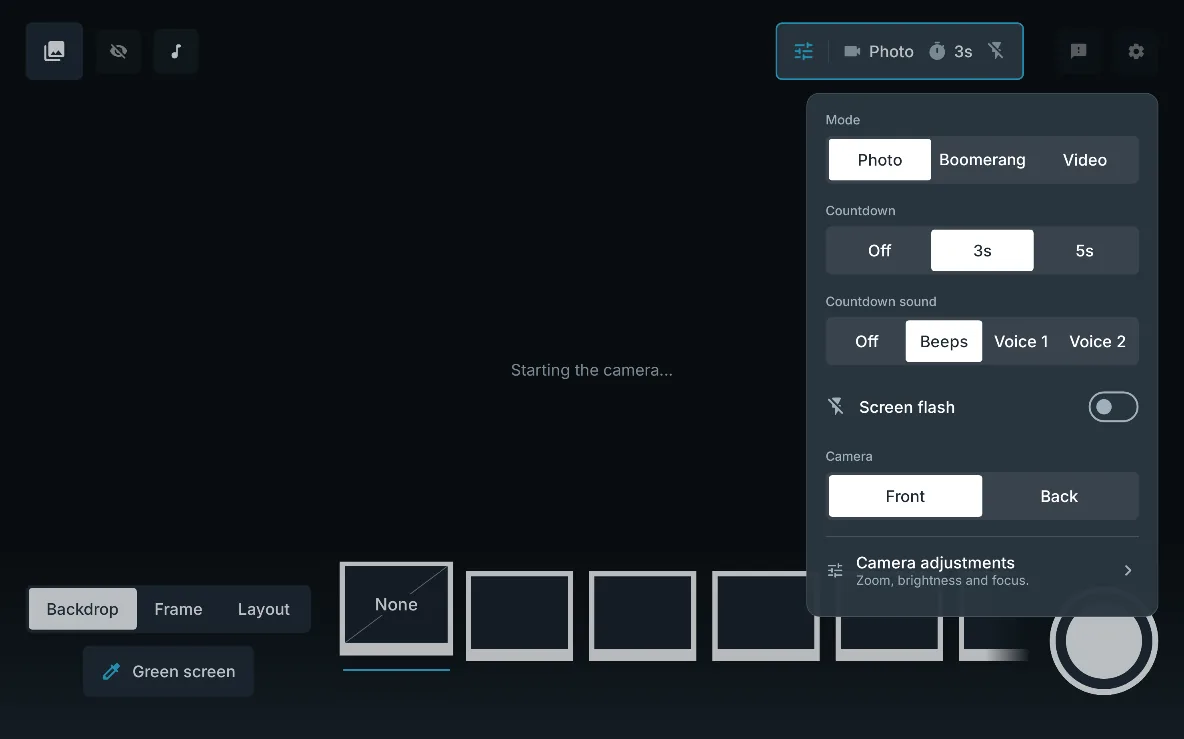
Quick settings open over the booth: mode, countdown, countdown sound, screen flash and front or back camera, on a large screen in landscape.

Quick settings for guests

Countdown, countdown sound, screen flash, front or back camera, mode and output quality, each shown on the booth only when you allow it.

Why it mattersGuests adjust the booth without admin, and their choices go back to your defaults after the session. An output quality pick is kept, as it's meant for you working the booth.

  • Free
  • Personal
  • White label
The booth screen held upright as the camera starts: the backdrop tray, the Photo, Boomerang and Video switch above the shutter, and the gallery and quick settings buttons, on a phone.

Photo, Boomerang and Video modes

One switch moves the booth between still photos, boomerangs and short videos, all keyed onto the backdrop.

Why it mattersOne booth covers prints, social clips and video messages.

  • Free
  • Personal
  • White label

Boomerangs

A 1 to 3 second burst of keyed movement that plays forwards then backwards, saved as an MP4 and downloaded from its QR code.

Why it mattersThe clip guests want to post, made in the booth with no editing.

  • Free
  • Personal
  • White label

Videos with sound and music

Keyed videos of 3, 5 or 10 seconds or until stopped, up to 4K where the device can, with the microphone and a music track if you choose.

Why it mattersVideo guestbook messages and party clips from the same booth, ready to download.

  • Free
  • Personal
  • White label

Music: Personal and White label

Boomerangs as GIFs

Each boomerang is also saved as a looping GIF beside it, sized for messaging apps, and guests get it with **Save GIF** on their download page. It's on by default and can be switched off.

Why it mattersA boomerang guests can post anywhere, even in apps that won't take a video.

  • Free
  • Personal
  • White label
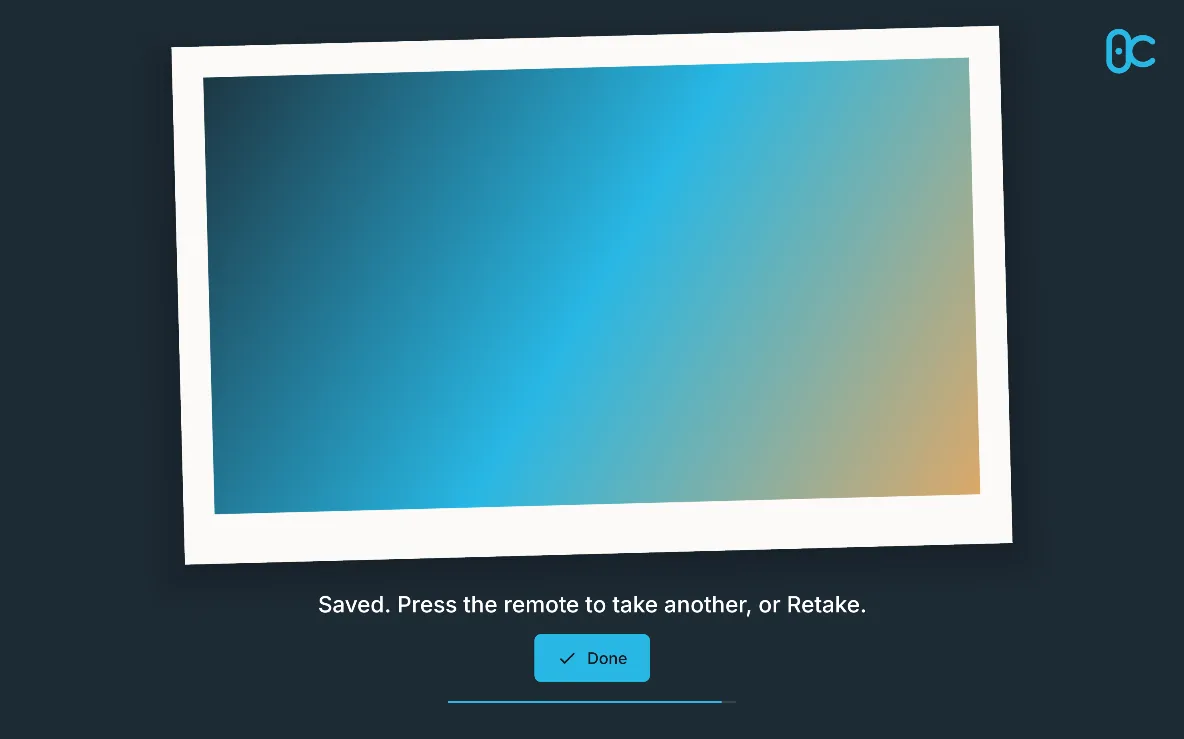
The result screen: the photo as a tilted print with the logo, “Saved. Press the remote to take another, or Retake.” and Done, on a large screen in landscape.

The photo arrives as a print

After "Developing your photo…", the finished photo scales in as a print and settles at a slight tilt, with the booth's logo, a QR code beside it and Done to go straight back.

Why it mattersA moment of reveal guests enjoy, and the download code right where they look.

  • Free
  • Personal
  • White label
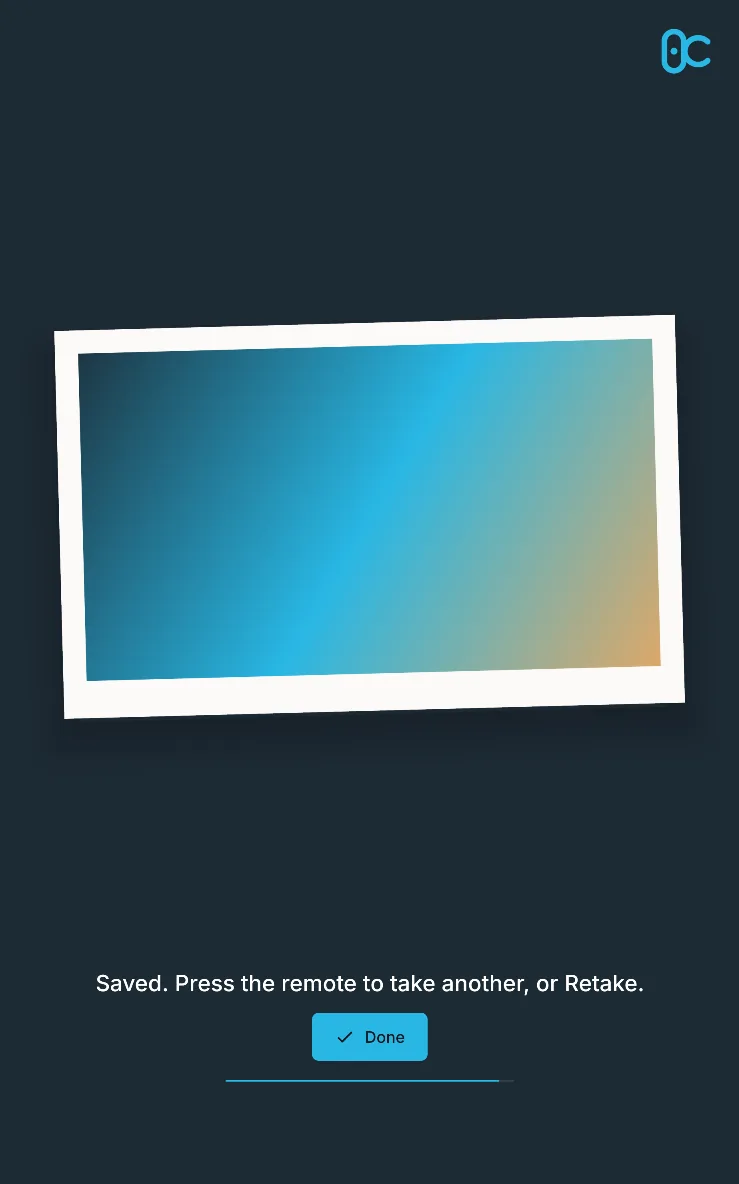
The result screen: the photo as a tilted print with the logo, “Saved. Press the remote to take another, or Retake.” and Done, on a large screen in portrait.

Retake, Discard and Print

Guests retake or throw away a photo from the result, on screen or with the remote, and print it through Android's print dialog.

Why it mattersFewer unwanted photos in the gallery, and prints on any printer the device can reach.

  • Free
  • Personal
  • White label

With the remote: Personal and White label

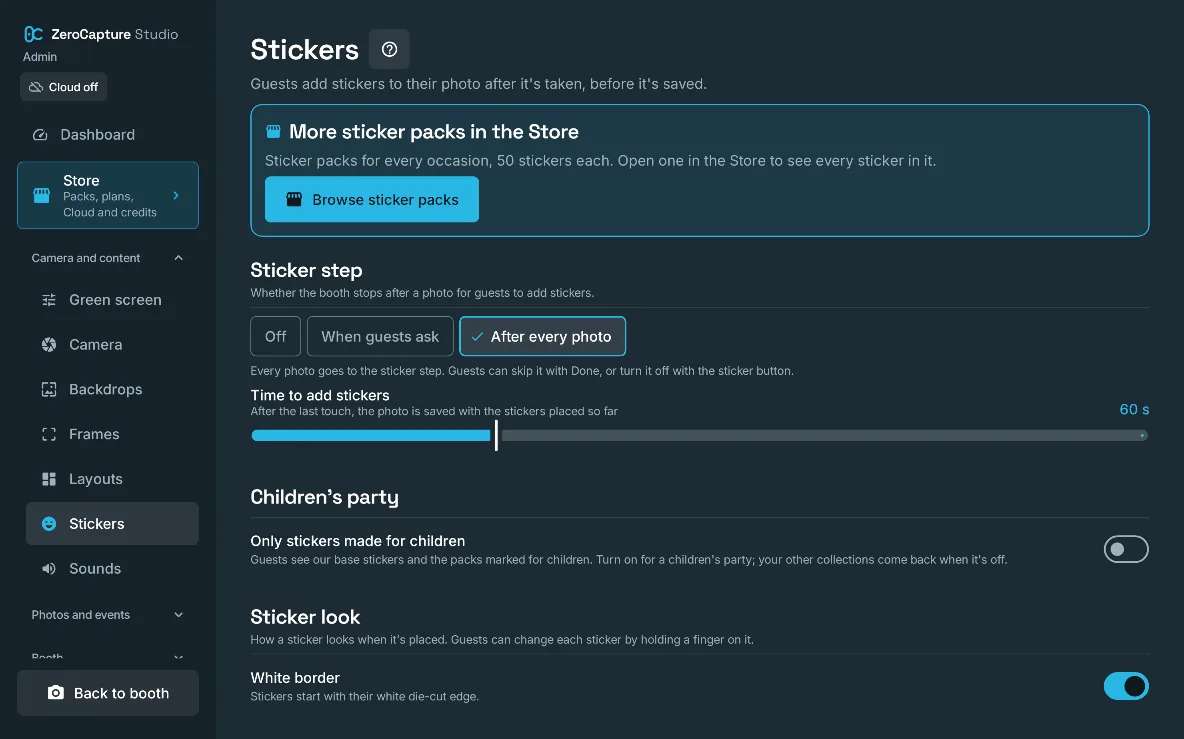
The Stickers section of admin: sticker packs in the Store, when guests add stickers, the time they get, and the sticker look, on a large screen in landscape.

Stickers on the photo

After the photo, guests drag, pinch and twist stickers onto it before it's saved: hats, speech bubbles, their names in balloon letters.

Why it mattersMore fun per photo, and every sticker is on the print, the download and the upload.

  • Free
  • Personal
  • White label
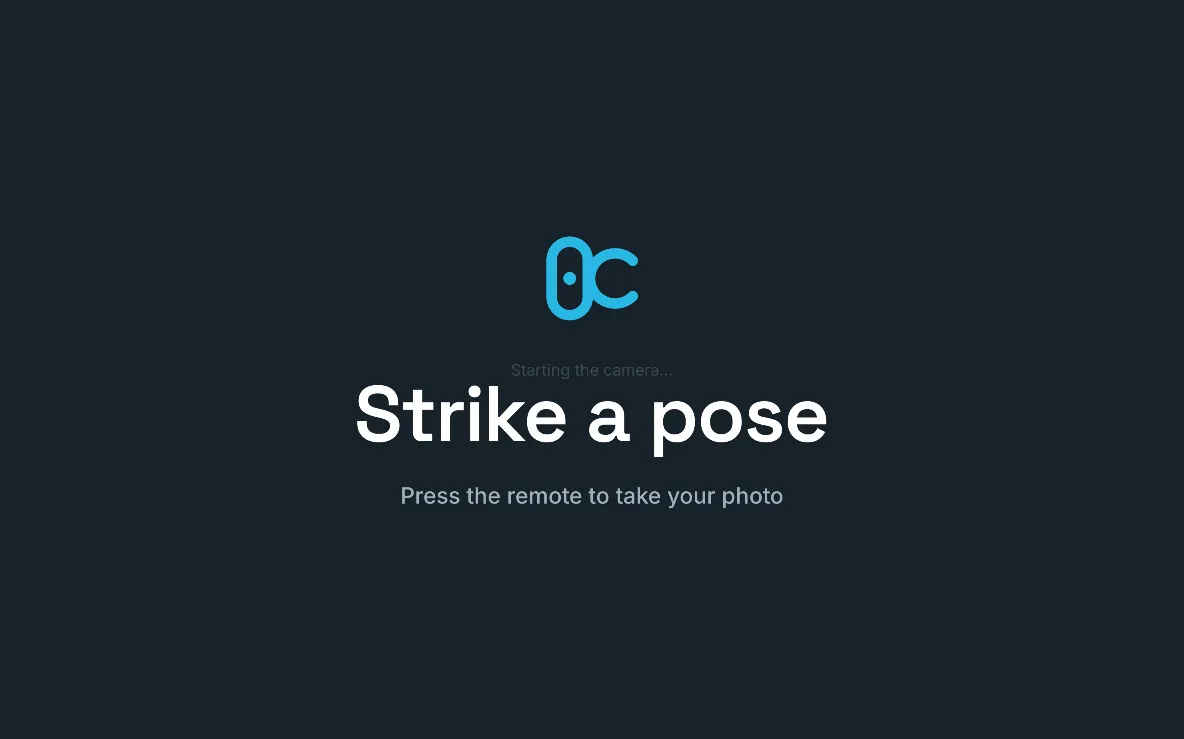
The attract screen: the ZeroCapture logo, “Strike a pose” and “Press the remote to take your photo”, on a large screen in landscape.

Attract screen

When the booth is idle it shows the booth's logo, "Strike a pose" and an invitation to press the remote, and can wake when someone walks up.

Why it mattersThe booth draws people in on its own between groups.

  • Free (not included)
  • Personal (not included)
  • White label

Back to your defaults between groups

After a few minutes with nobody using the booth, guests' backdrop, frame, layout and other choices go back to your defaults, never during a photo.

Why it mattersEach group starts from the set-up you chose, without you resetting it.

  • Free
  • Personal
  • White label

Clear messages when something goes wrong

If a photo doesn't take or the camera stops, the booth says what happened and what to do, and restarts the camera by itself.

Why it mattersThe booth keeps running through a hiccup without you rushing over.

  • Free
  • Personal
  • White label
The booth screen as the camera starts: the backdrop tray, the Photo, Boomerang and Video switch and the shutter, on a Galaxy Z Fold.

Phones, Fold and large screens, either way up

Designed for the Galaxy Tab S8 Ultra and drawn to scale on any Android 7.0 or later device with a camera, in landscape or portrait.

Why it mattersUse the device you have, upright on a stand or on its side.

  • Free
  • Personal
  • White label
03 · Layouts and content · 16 features

Backdrops, frames and layouts that look designed.

Start with the built-in scenes and layouts, bring your own artwork, or add themed packs. Restyle a layout for a client, and switch the whole booth from one event’s theme to the next.

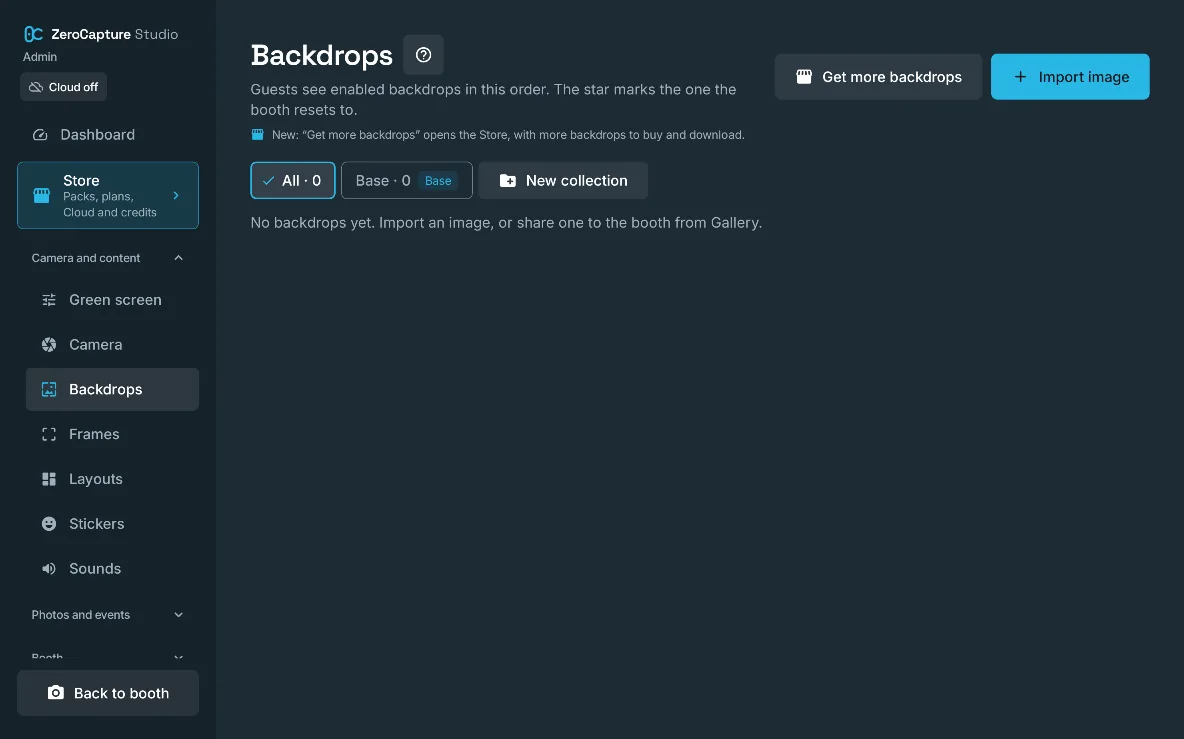
The Backdrops section of admin, with Get more backdrops, Import image and New collection, on a large screen in landscape.

Built-in backdrops

Thirteen backdrops come built in: five painted studio scenes and eight Colour studio paper sweeps.

Why it mattersA good-looking booth from the first minute, with nothing to buy.

  • Free
  • Personal
  • White label
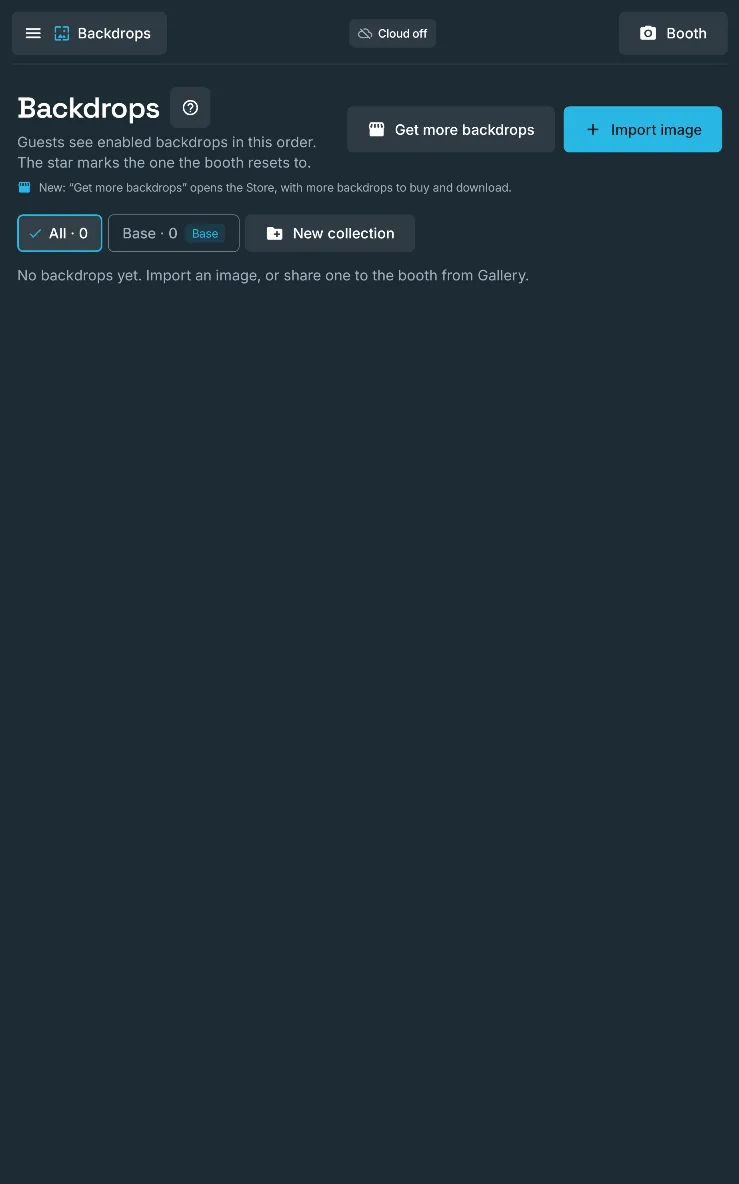
The Backdrops section of admin, with Get more backdrops, Import image and New collection, on a large screen in portrait.

Your own backdrops and frames

Import any JPEG, PNG or WebP as a backdrop, or a transparent PNG as a frame, from the device or from another app's share sheet.

Why it mattersPut guests in front of the venue, the couple's favourite place or a client's campaign artwork.

  • Free
  • Personal
  • White label

Free: 3 backdrops, 1 framePersonal: 20 and 10

Backdrop position, blur and look

Zoom (up to 4×) and move each backdrop behind guests, blur it for depth, and adjust its brightness, contrast and saturation; guests can do the same on the booth.

Why it mattersEvery backdrop sits well behind people, and blur makes guests stand out like a portrait lens.

  • Free
  • Personal
  • White label
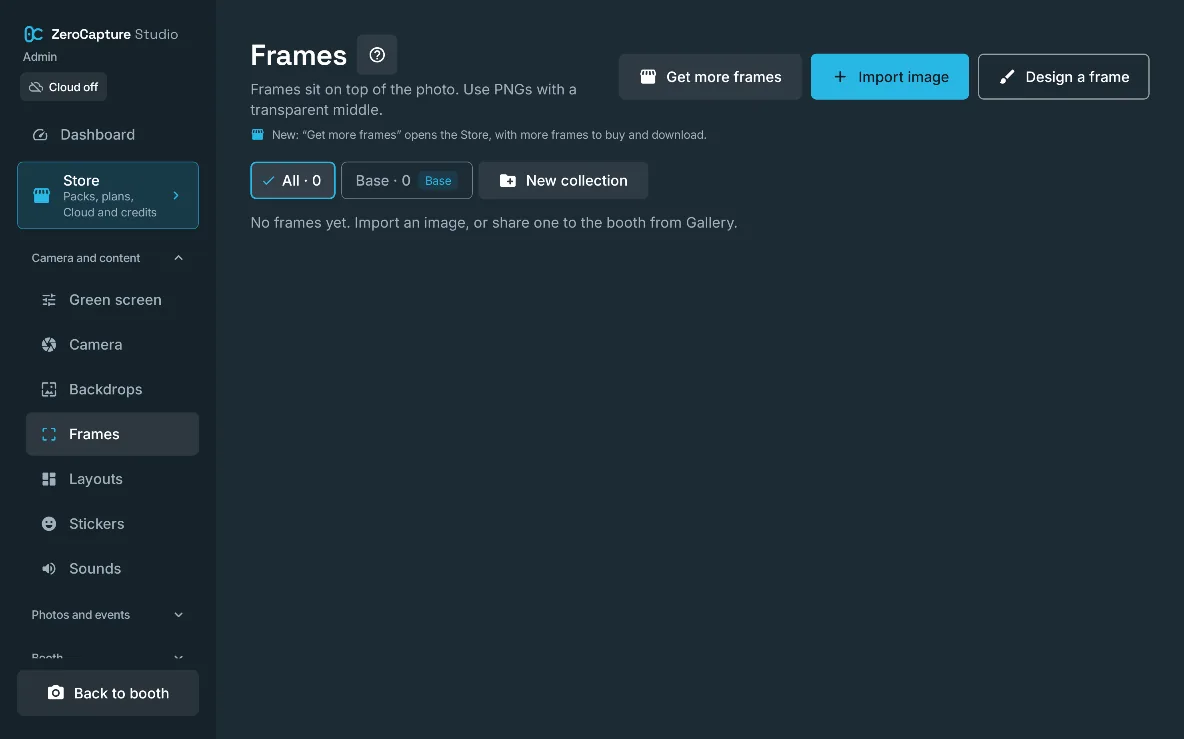
The Frames section of admin, with Get more frames, Import image and New collection, on a large screen in landscape.

Frames that fit every layout

Frames sit over the finished photo; on multi-photo layouts the shots fit inside the frame's clear middle, and pack frames have a version for each sheet shape.

Why it mattersOne frame works across your layouts without squashed borders.

  • Free
  • Personal
  • White label

Design your own frames

Build a frame for single photos in the app from stickers and lines of text, with a landscape and a portrait arrangement, and guests pick it like any other frame.

Why it mattersA frame with the couple's names or the client's theme in a few minutes, without design software.

  • Free
  • Personal
  • White label

Free: counts as your 1 framePersonal: up to 10 frames

Collections

Group backdrops and frames by theme, such as Halloween or Wedding, and show or hide a whole collection at once.

Why it mattersSwitch the booth from one event's theme to the next in two taps.

  • Free (not included)
  • Personal
  • White label

Personal: up to 3

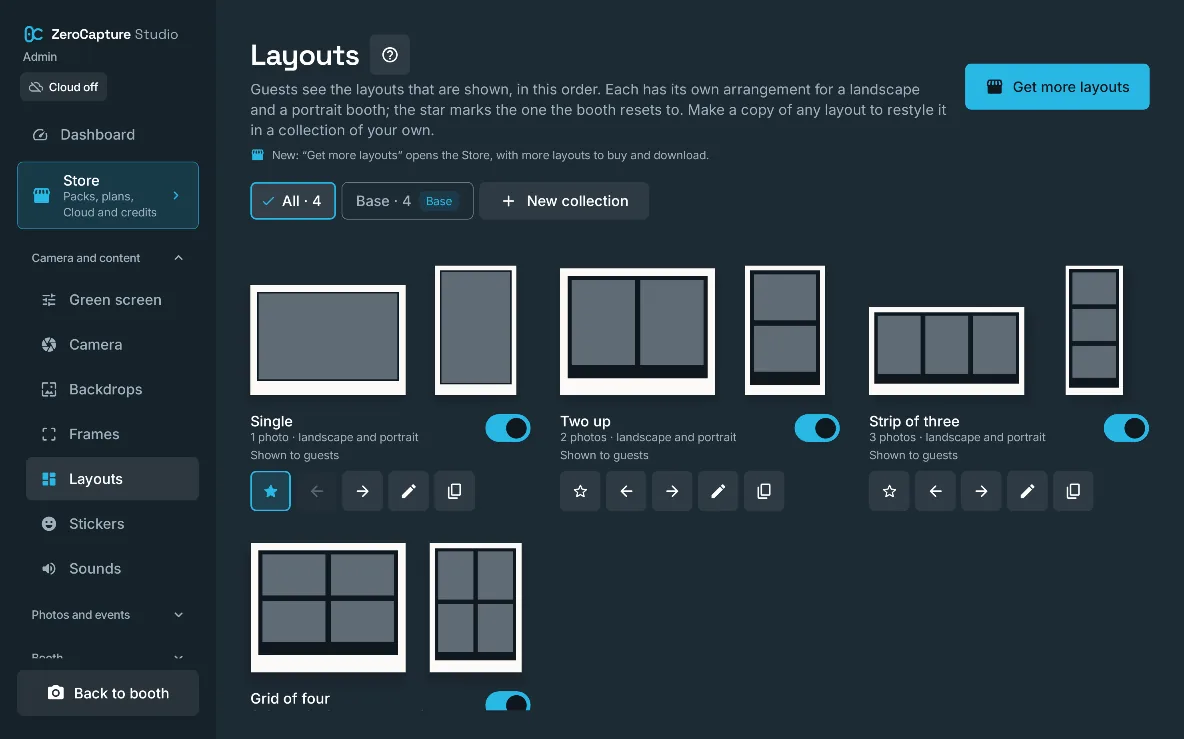
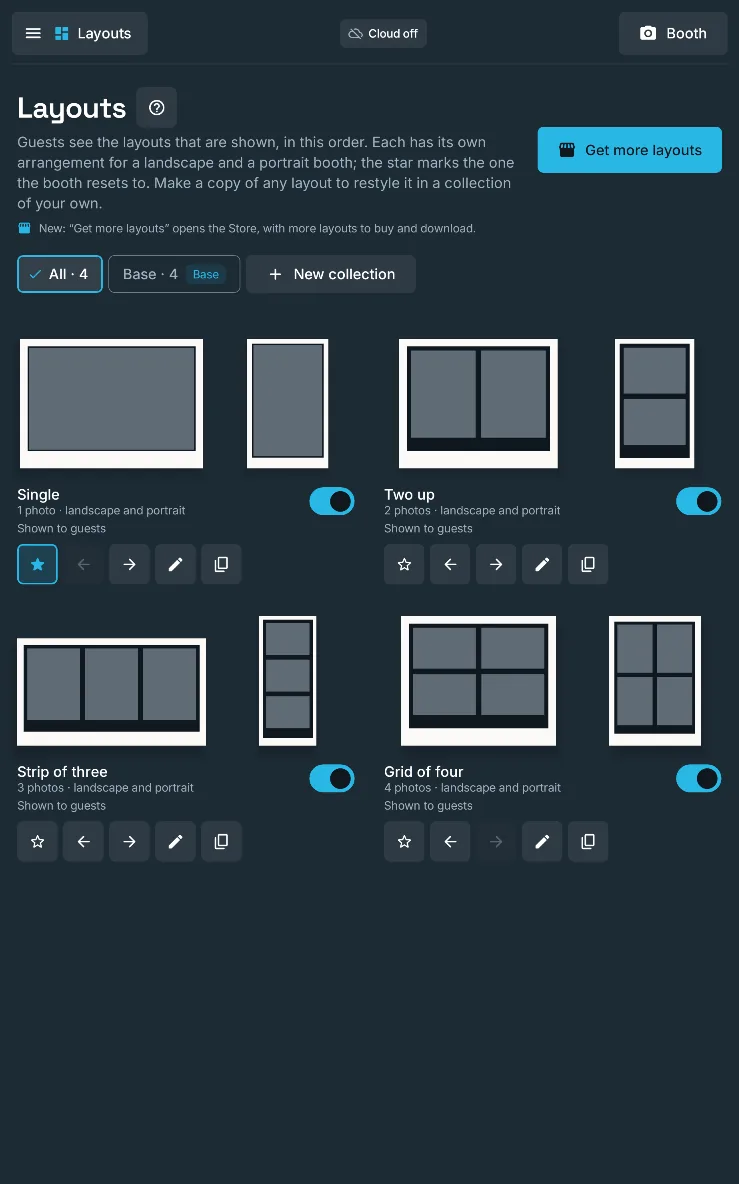
The Layouts section of admin: Single, Two up, Strip of three and Grid of four, each drawn in landscape and portrait, with buttons to reorder, edit and copy them, on a large screen in landscape.

Base layouts and multi-photo sequences

Single, Two up, Strip of three and Grid of four, each arranged for landscape and portrait; the booth takes each shot in turn, shows "Photo 2 of 4" and dims everything outside the next shot.

Why it mattersClassic photo-strip sequences, with guests always knowing where the next shot will land.

  • Free
  • Personal
  • White label

Free: Single and Two up

Layout packs and designed layouts

Layout packs add layouts of up to six photos, and designed ones such as Signature layouts print the event's name, date and place with artwork, in your booth's colours.

Why it mattersWedding-stationery-style prints without a designer, and pack layouts work on every plan, Free included.

  • Add-on

Add-on, works on every plan

The Layouts section of admin: Single, Two up, Strip of three and Grid of four, each drawn in landscape and portrait, with buttons to reorder, edit and copy them, on a large screen in portrait.

Your own layout copies and presets

Copy any layout into your own collection and give it an occasion preset such as Wedding, Halloween, Birthday or Corporate.

Why it mattersA layout for every booking without starting from scratch, and the original never changes.

  • Free (not included)
  • Personal
  • White label

Restyle layouts

Change every colour, line of words and font on a layout copy, print the photos in colour, black and white or duotone, and preview it with a real photo.

Why it mattersMatch a client's brand or a couple's stationery exactly.

  • Free (not included)
  • Personal
  • White label

Personal: presets only

A fixed photo in a layout

Any shot of a layout copy can print a photo from the device instead, such as the couple's photo in one corner of a wedding grid.

Why it mattersEvery guest's print carries the couple, a sponsor's product shot or a logo panel.

  • Free (not included)
  • Personal
  • White label

Choose what designed layouts print

Switch off any field a designed layout prints, such as the time, the place or the logo, one by one.

Why it mattersKeep prints accurate when an event has no venue name or shouldn't show a logo.

  • Free (not included)
  • Personal (not included)
  • White label

White label: a pack layout's logo can be switched off on every plan

Content packs

Themed packs of backdrops, frames, layouts, stickers or sounds, bought once in the app and downloaded to the device, where every file is checked before it's used.

Why it mattersFresh content for each season and occasion, owned for good on every device signed in to your Google account; downloads resume after a dropped connection and pause while a photo is taken.

  • Add-on

Add-on, on every plan

Ultra resolution backdrops

Pack backdrops can carry a second, sharper file for the saved photos, switched on per backdrop.

Why it mattersBackdrops stay crisp on large prints at Maximum quality.

  • Add-on

Add-on, on every plan

Sticker packs

Three sticker collections are built in (Balloon Letters, Photo Props, Reactions & Doodles), sticker packs add themed sets of 50, and one switch keeps a children's party to the stickers made for children.

Why it mattersThe right props for every theme, without a box of physical props to carry.

  • Free
  • Personal
  • White label
  • Add-on

Add-on, sticker packs

Packs you don't have yet, in the tray

The guest tray can show packs that aren't on the device, with a padlock; a tap previews them, and Buy or Download needs your admin PIN.

Why it mattersGuests see what else the booth can do, but never a price, and only you can buy.

  • Free
  • Personal
  • White label
04 · Sharing and messaging · 10 features

Their photo on their phone before they’ve left the booth.

A QR code beside every photo, served by the device over the venue’s Wi-Fi, with no internet needed. Personal adds a photo wall on a second screen; White label adds email, SMS and a form for leads.

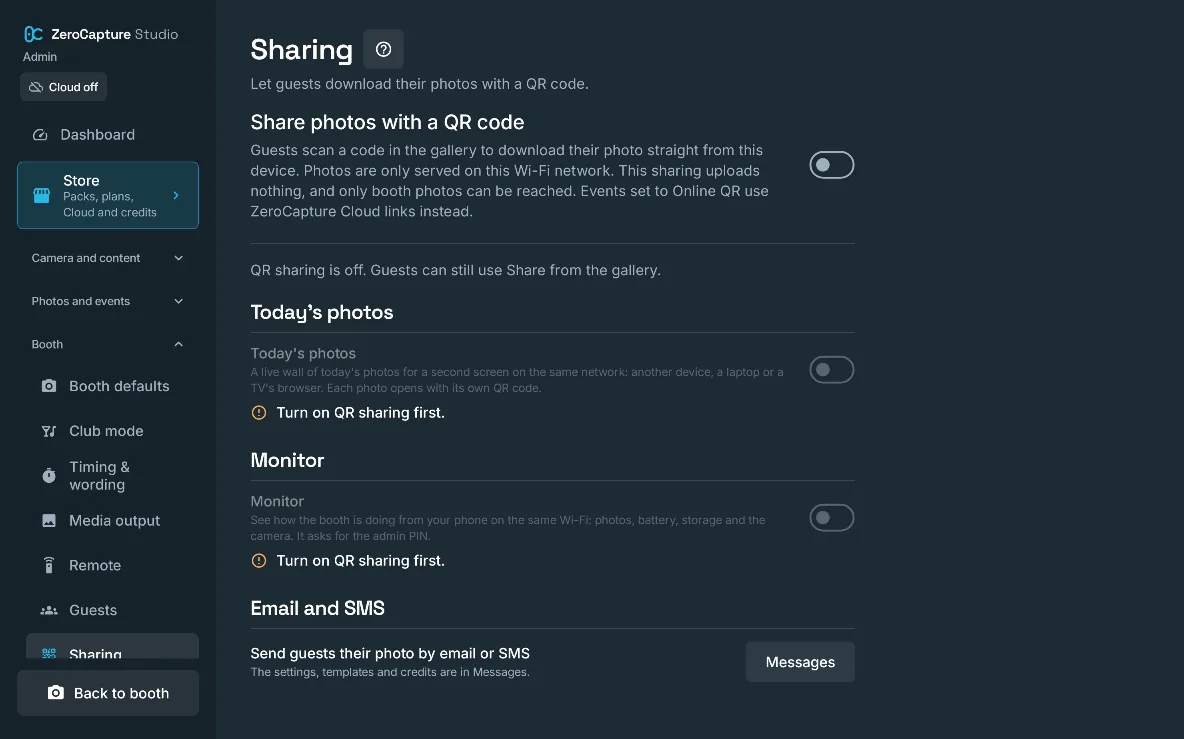
The Sharing section of admin: QR sharing, Today’s photos for a second screen, Monitor, and email and SMS, on a large screen in landscape.

QR download over Wi-Fi

Guests scan a QR code and save the photo straight from the device over the venue's Wi-Fi or the device's hotspot, with no internet needed.

Why it mattersInstant downloads at venues with no signal, and nothing goes online.

  • Free
  • Personal
  • White label

Free: links last 8 hoursPersonal: links up to 14 daysWhite label: links up to 30 days

Your branding on the phone page

The page a QR code opens uses the booth's look and logo; on White label it carries no ZeroCapture name at all.

Why it mattersThe guest's last impression is your brand, or your client's.

  • Free
  • Personal
  • White label

No ZeroCapture footer: White label

Today's photos on a second screen

A live wall of the event's photos for a laptop, a TV's browser or another device on the same network, each photo with its own QR code.

Why it mattersA photo wall that draws a crowd to the booth, with downloads from across the room.

  • Free (not included)
  • Personal
  • White label

Personal: ZeroCapture's looks, Grid or Mosaic

Live screen styles

Turn any TV into a live photo wall: Grid, Mosaic, Spotlight, Carousel or Polaroids, chosen per event, filling up as guests take pictures.

Why it mattersA screen that looks like an agency's photo wall draws guests to the booth, and each new photo has its moment full screen with a QR code to take it home.

  • Free (not included)
  • Personal
  • White label

Personal: Grid and Mosaic

Monitor from your phone

A read-only status page on your phone: photos today, the last photo, what the booth is doing, battery and storage, every 5 seconds, behind your admin PIN.

Why it mattersKeep an eye on the booth from the bar or the next room and know the moment it needs you.

  • Free (not included)
  • Personal (not included)
  • White label
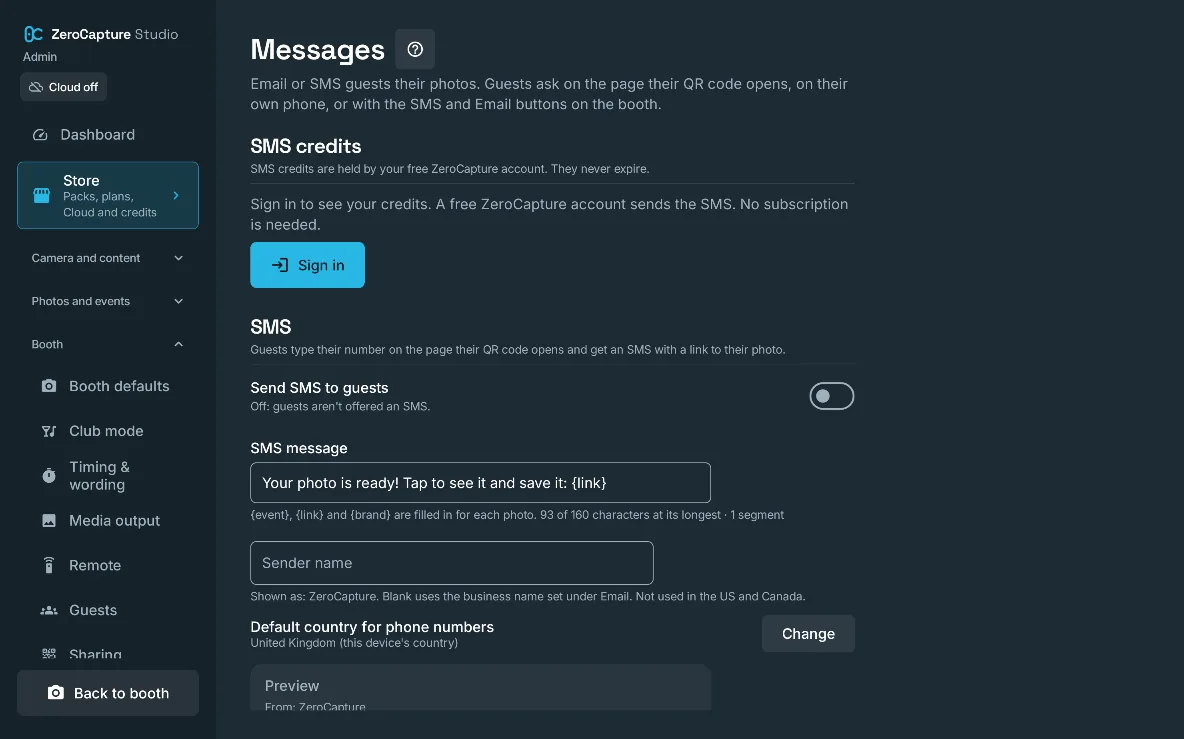
The Messages section of admin: SMS credits, Send SMS to guests, the SMS message template and the sender name, on a large screen in landscape.

Email guests their photo

Guests type their address on their own phone and get the photo by ZeroCapture mail (up to 1,000 a month with a free account) or through your own email server, from ready-made templates.

Why it mattersThe photo waits in the guest's inbox under your business name, to find again after the event.

  • Free (not included)
  • Personal (not included)
  • White label
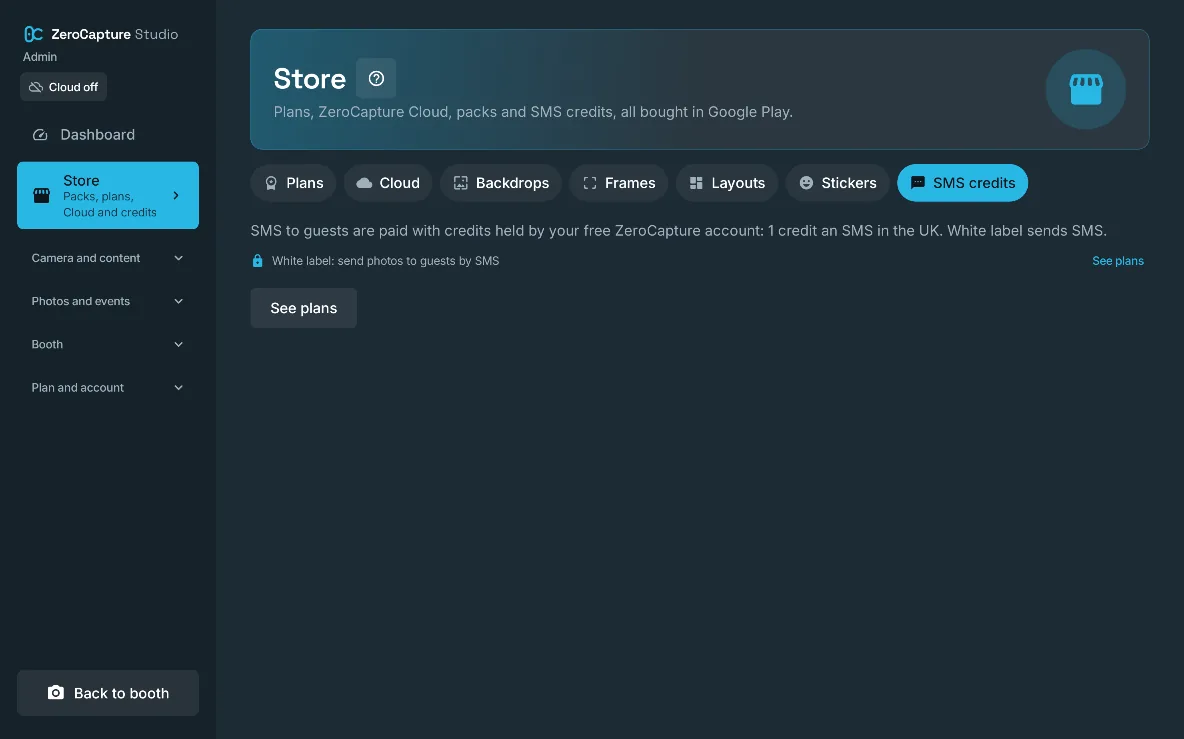
The SMS credits tab of the Store, on a large screen in landscape.

SMS guests their photo

Guests ask for an SMS with a link to their photo, sent by ZeroCapture's server and paid with SMS credits that never expire; UK numbers at launch.

Why it mattersThe photo arrives on the guest's phone where they'll see it, under your sender name.

  • Free (not included)
  • Personal (not included)
  • White label

Send by SMS on the booth

An SMS button on the result and in the gallery lets a guest type their number on the booth's own number pad.

Why it mattersNo QR scan needed: older guests get their photo by typing a number.

  • Free (not included)
  • Personal (not included)
  • White label

Email on the booth

An Email button on the result and in the gallery lets a guest type their address on the booth's own keyboard and get their photo by email.

Why it mattersGuests who'd rather not scan a code still leave with their photo, attached from your own mail server or as a link in ZeroCapture mail.

  • Free (not included)
  • Personal (not included)
  • White label
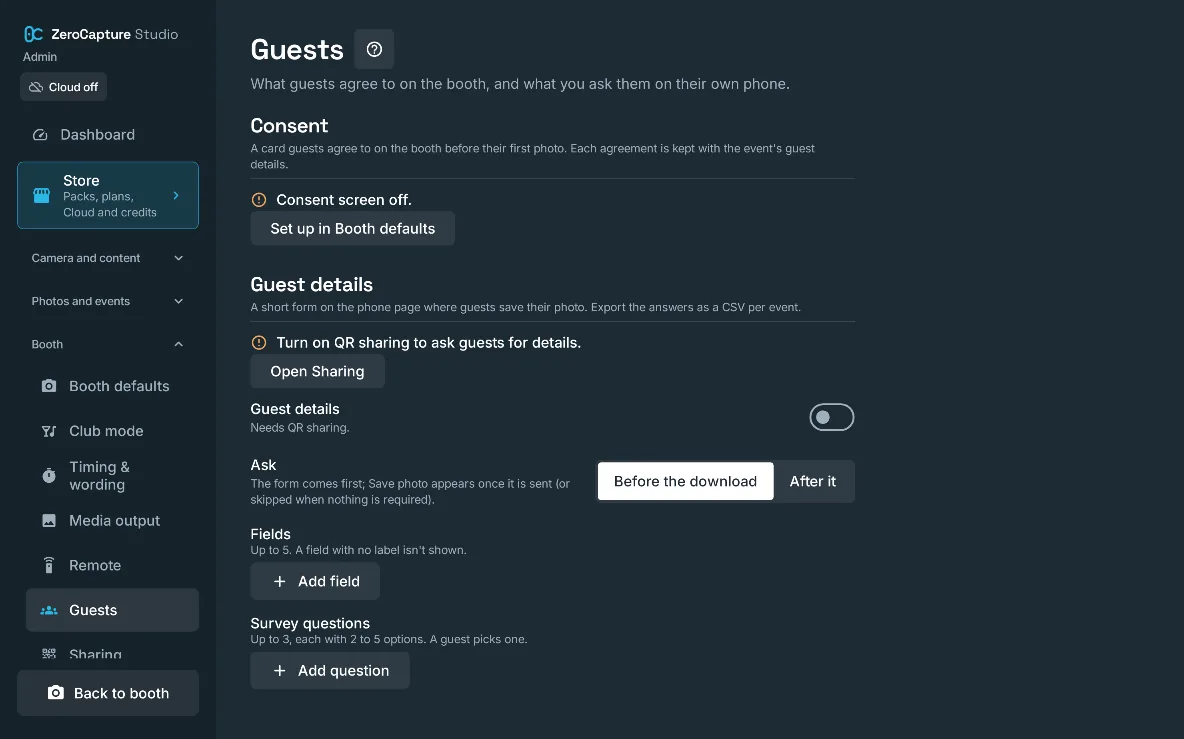
The Guests section of admin: the consent screen, the guest details form with its fields, and survey questions, on a large screen in landscape.

Guest details and surveys

A short form on the guest's phone page with up to 5 fields and 3 survey questions in your words, kept on the device per event, deleted after the time you choose and exported as a CSV.

Why it mattersCapture leads or feedback for a brand activation while guests save their photo, as the data controller with the tools to keep only what you need.

  • Free (not included)
  • Personal (not included)
  • White label
05 · Branding and white label · 7 features

Their event. Your brand.

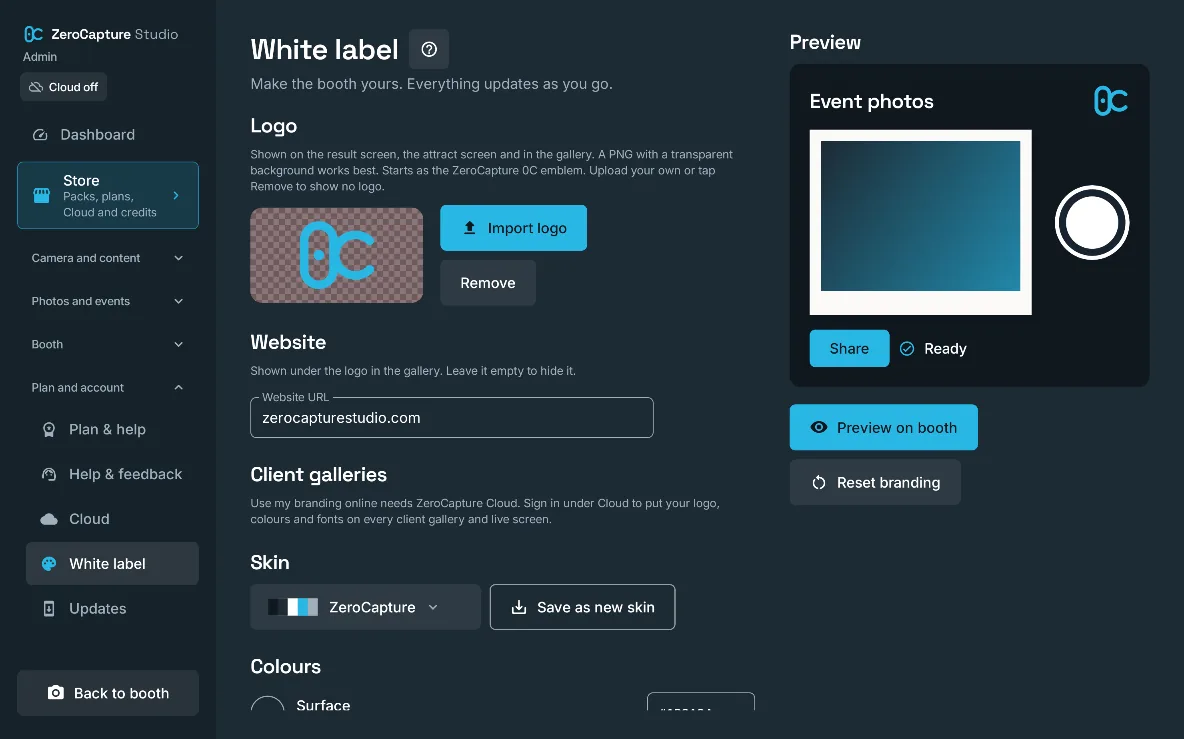
Dress the booth in a ready-made skin with one tap. Personal can hide our logo; White label puts yours on every guest screen, sets every colour and font, stamps your logo on the photos and keeps the ZeroCapture name off the guest’s phone.

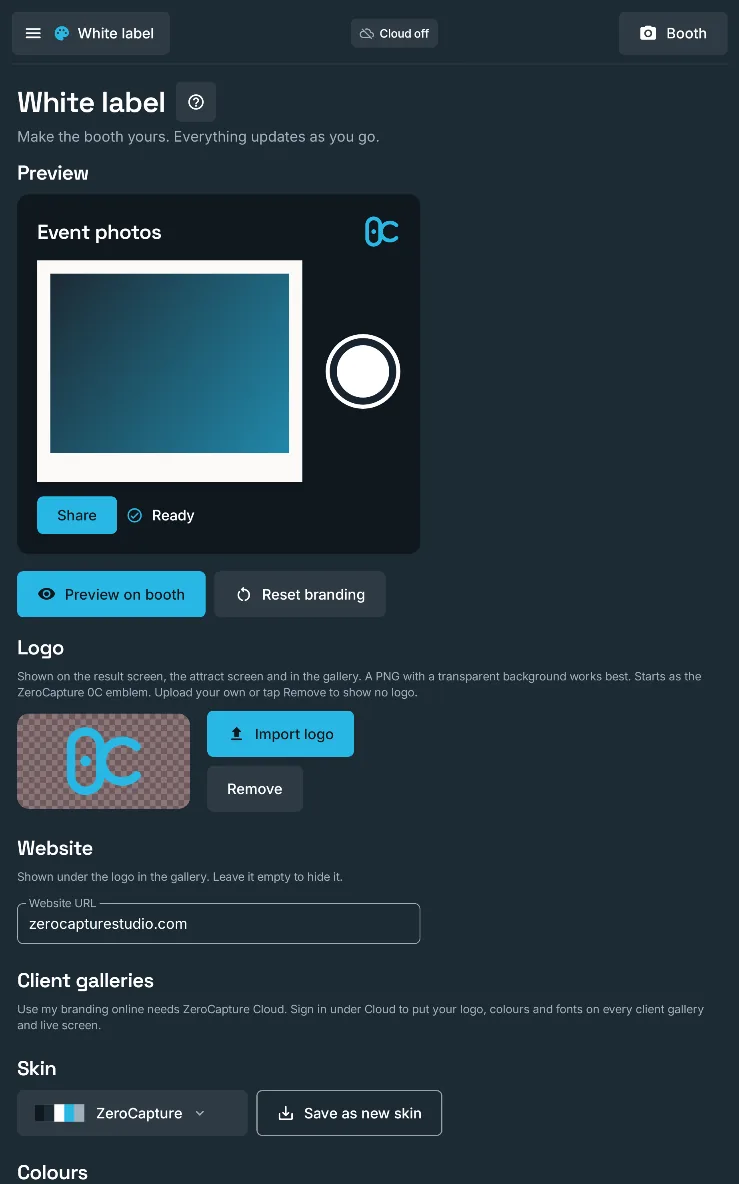
The White label section of admin: your logo, website, skin and colours, with a live preview of the guest gallery, on a large screen in landscape.

Ready-made skins

Twelve skins, such as Wedding, Neon night, Gold & black gala and Kids party, restyle every guest screen at once.

Why it mattersDress the booth for the event in one tap.

  • Free
  • Personal
  • White label

Free: ZeroCapture dark and light

Your logo and website

Your logo on the result, attract screen, gallery and phone page, with your website under it; Personal can hide ZeroCapture's.

Why it mattersEvery guest screen advertises your business, not ours.

  • Free (not included)
  • Personal
  • White label

Personal: hide ZeroCapture's logo and website

The White label section of admin: your logo, website, skin and colours, with a live preview of the guest gallery, on a large screen in portrait.

Custom colours, fonts and saved skins

Set five colours, the display, interface and countdown fonts (including your own TTF or OTF) and the button shape, give the photo caption its own font, size and colour, and save the look as a skin per client.

Why it mattersThe booth matches your brand or your client's exactly, and repeat clients get their branded booth back in seconds.

  • Free (not included)
  • Personal (not included)
  • White label

Logo watermark on photos

Stamp your logo on every photo, in the corner you tap, at the size and opacity you choose.

Why it mattersEvery shared photo carries your brand or the client's.

  • Free (not included)
  • Personal (not included)
  • White label

Photos with no ZeroCapture mark

Personal and White label photos, boomerangs and videos carry no "Made with ZeroCapture Studio" mark.

Why it mattersClean photos for your own events and your clients'.

  • Free (not included)
  • Personal
  • White label
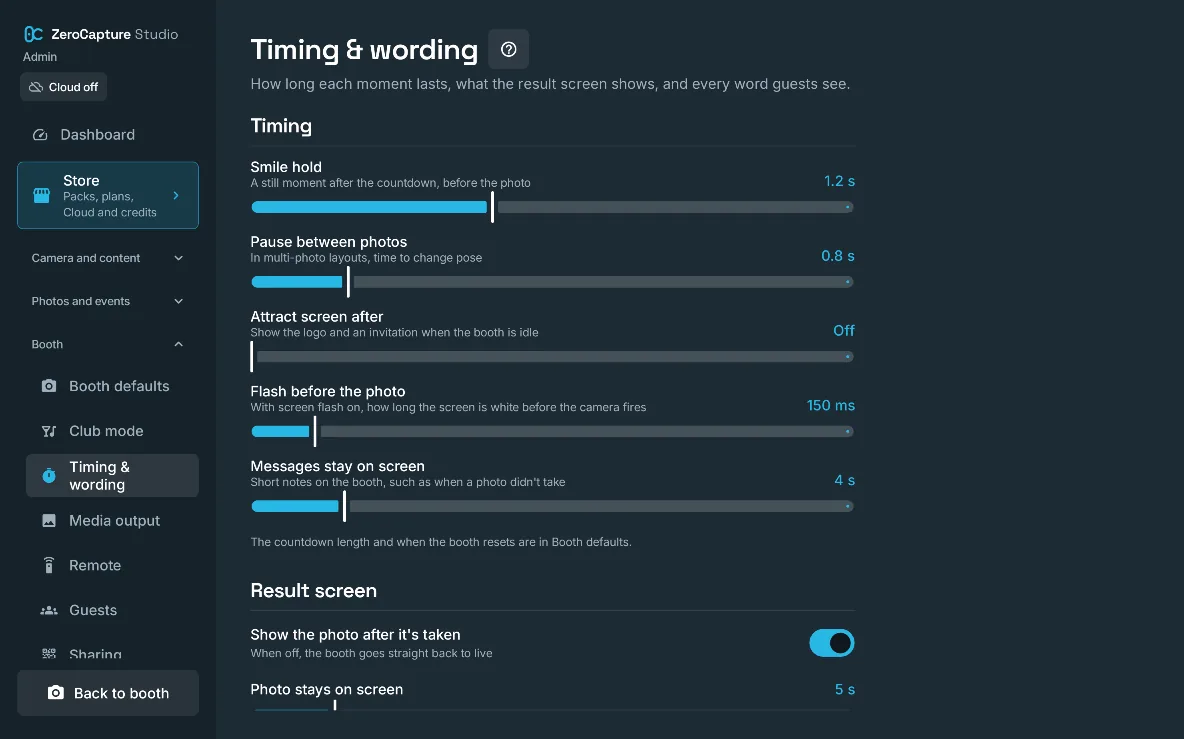
Timing & wording in admin: the smile hold, the pause between photos, the attract screen, the screen flash and the result screen, on a large screen in landscape.

Your own wording

Reword every line guests see, from "Strike a pose" to the phone page, each with a reset to the default.

Why it mattersThe booth speaks in your voice, or in the event's language.

  • Free (not included)
  • Personal (not included)
  • White label

Event caption and date on photos

Print the current event's caption, and its date if you like, along the bottom of every photo.

Why it mattersEvery photo says whose party it was and when.

  • Free (not included)
  • Personal
  • White label
06 · Events and data · 6 features

Every party in its own place, on your device.

Group photos by event, choose which events guests can browse, and tidy up between bookings from the booth itself. No account needed, and photos stay on the device unless you add ZeroCapture Cloud or send them to guests by email or SMS.

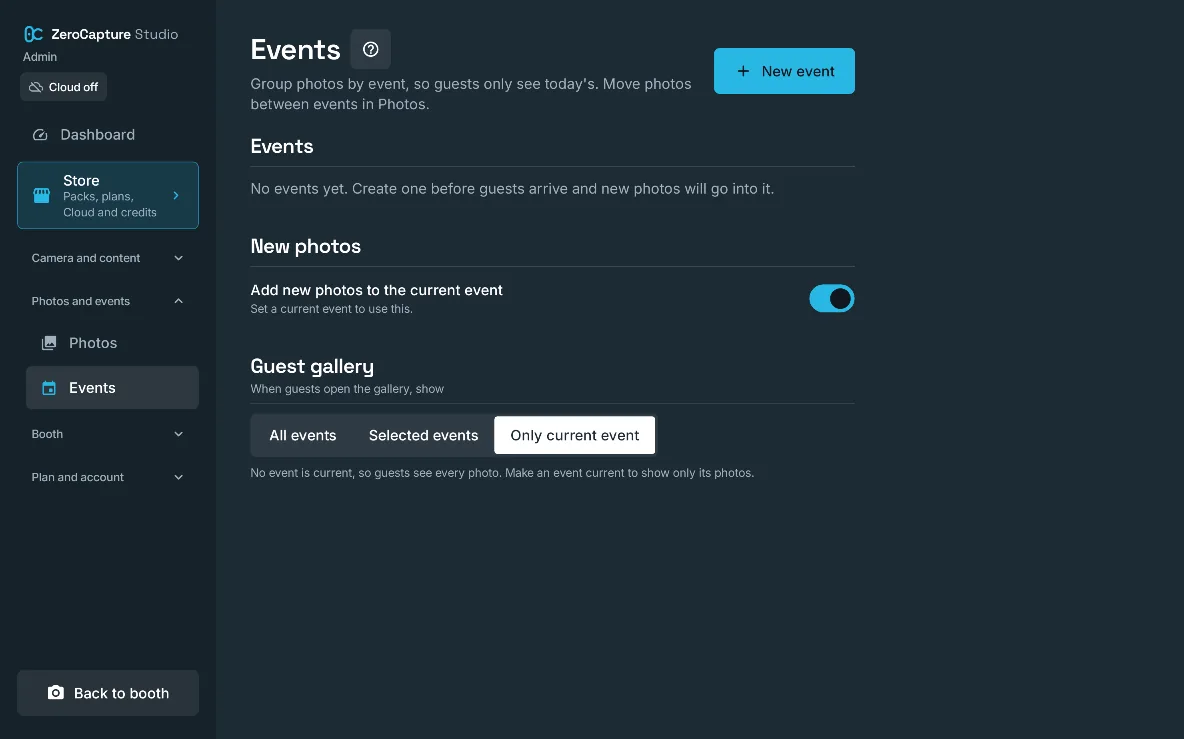
The Events section of admin, with New event, a switch to add new photos to the current event, and which events the guest gallery shows, on a large screen in landscape.

Events

Group photos by event with a name, date, location and caption; new photos join the current event.

Why it mattersEach party's photos stay together, from the gallery to the export.

  • Free
  • Personal
  • White label

Free: 1 event

Choose which events guests see

The guest gallery shows only the current event, selected events or every photo.

Why it mattersOne client's guests never browse another client's photos.

  • Free (not included)
  • Personal
  • White label
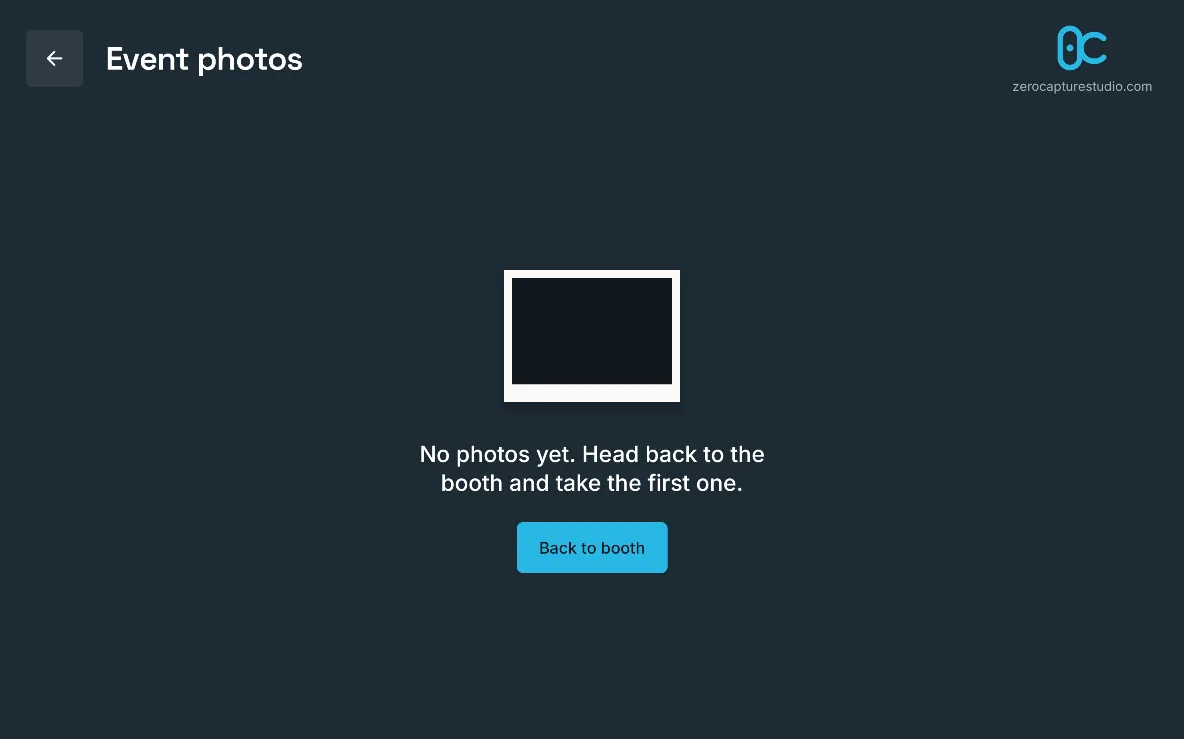
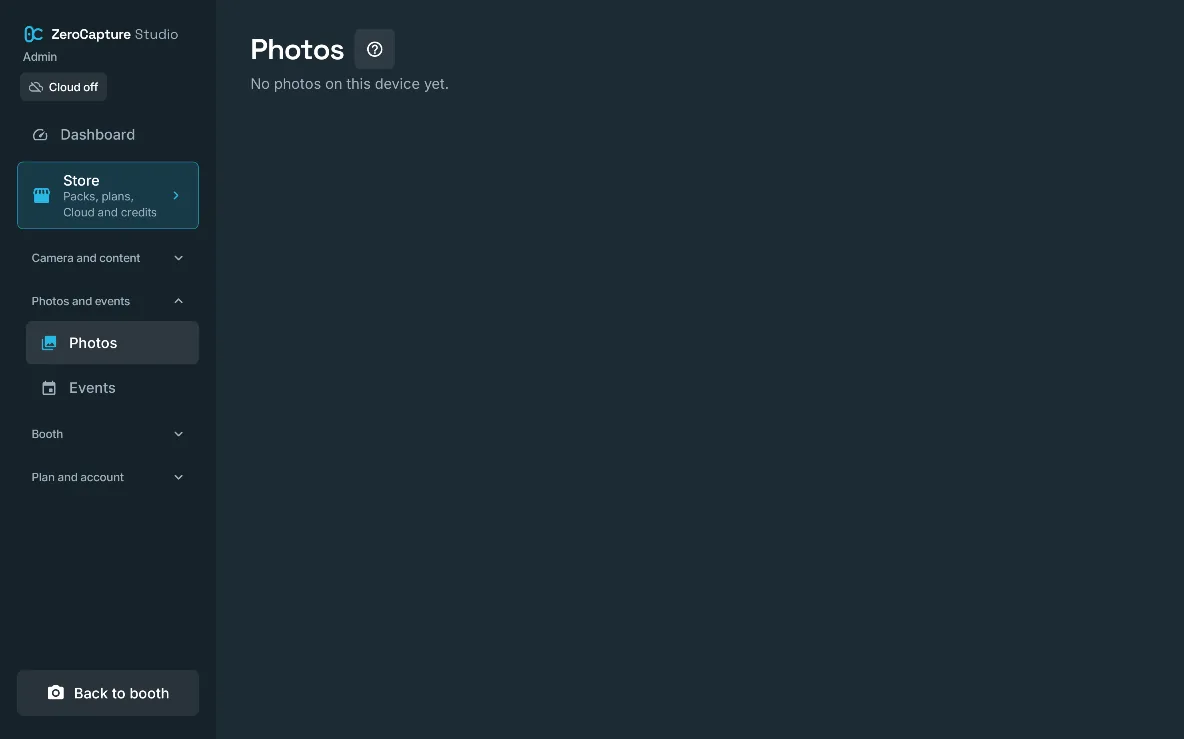
The Photos section of admin, before any photos are taken, on a large screen in landscape.

Photo management

See every booth photo by event, select them, move them between events, edit one, or delete them.

Why it mattersTidy up and clear space between bookings without a computer.

  • Free
  • Personal
  • White label

Your album and file names

Photos save as JPEGs in a Pictures folder you name, with a file name prefix you choose.

Why it mattersPhotos are easy to find and copy off the device, named for your business.

  • Free (not included)
  • Personal
  • White label
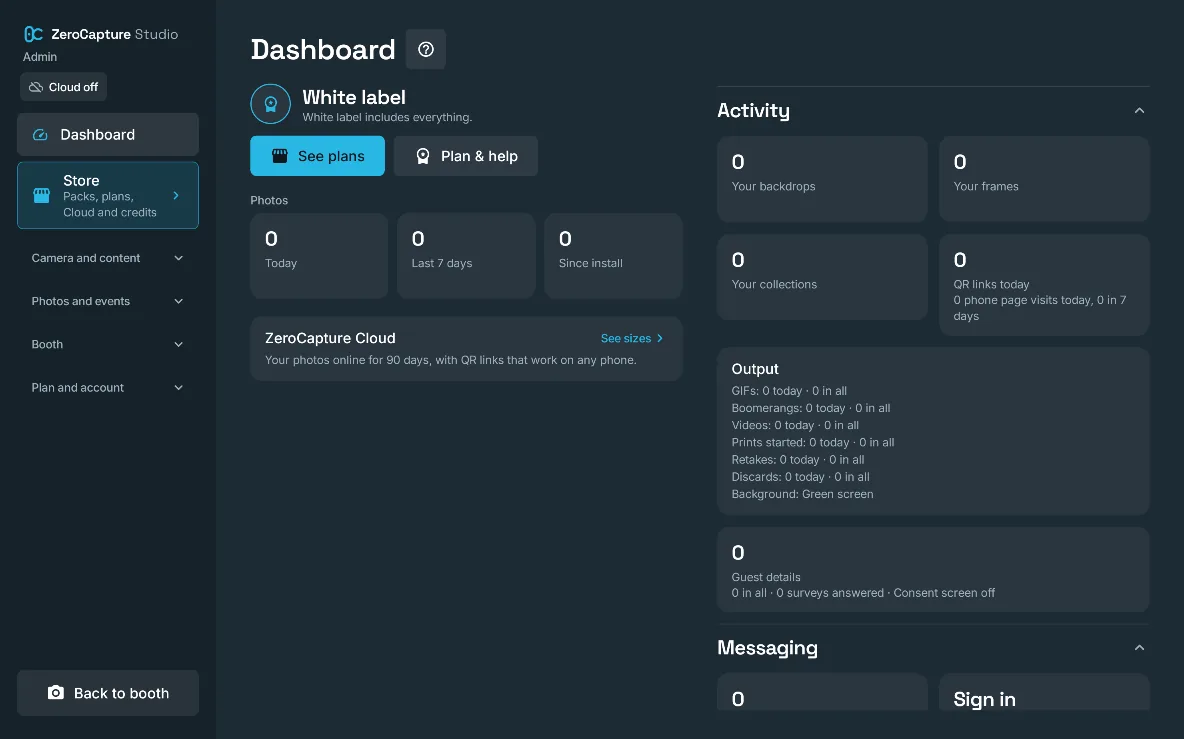
The admin Dashboard: the plan, photo counts for today, the last 7 days and since install, and activity, output and messaging counts, on a large screen in landscape.

Dashboard

Admin opens on your plan, anything that needs you, and photo counts for today, the last 7 days and since install, with output, prints, sharing and messaging counts below.

Why it mattersSee at a glance how the event is going and what needs your attention.

  • Free
  • Personal
  • White label

Photos stay on your device

Photos are saved on the device and leave it only if you use ZeroCapture Cloud or send one to a guest by ZeroCapture mail or SMS; no account is needed for any plan.

Why it mattersPrivacy you can explain to a venue or a client in one sentence.

  • Free
  • Personal
  • White label
07 · Running the booth · 10 features

Set it up once. Then leave it running all night.

Club mode for a walk-up booth at a club, bar or venue, where guests see only the camera and the shutter and throwaway photos go after a time you choose. A guided setup, an admin PIN, kiosk mode and a remote you can remap: everything that lets you walk away at a busy event, with the help articles built in for when there’s no signal.

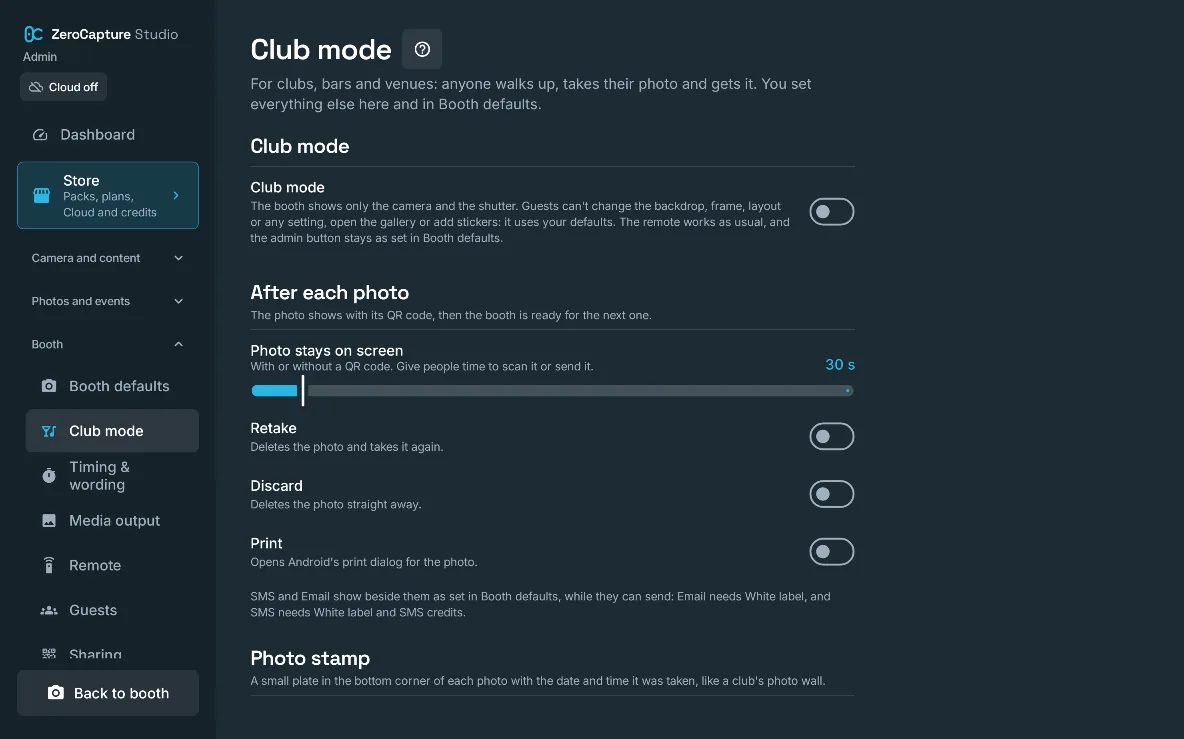
The Club mode section of admin: the Club mode switch, how long the photo stays on screen, Retake, Discard and Print switches, and the photo stamp, on a large screen in landscape.

Club mode

A walk-up booth for clubs, bars and venues: guests see only the camera and the shutter, get their photo with its QR code, and each photo carries a stamp with the date and time and can be deleted after a time you choose.

Why it mattersSet it up once and leave it running all night: nobody can change your set-up, and nothing is kept longer than you want.

  • Free
  • Personal
  • White label

Free: ZeroCapture's stamp, always onPersonal: ZeroCapture's stamp, or noneWhite label: your logo and line on the stamp

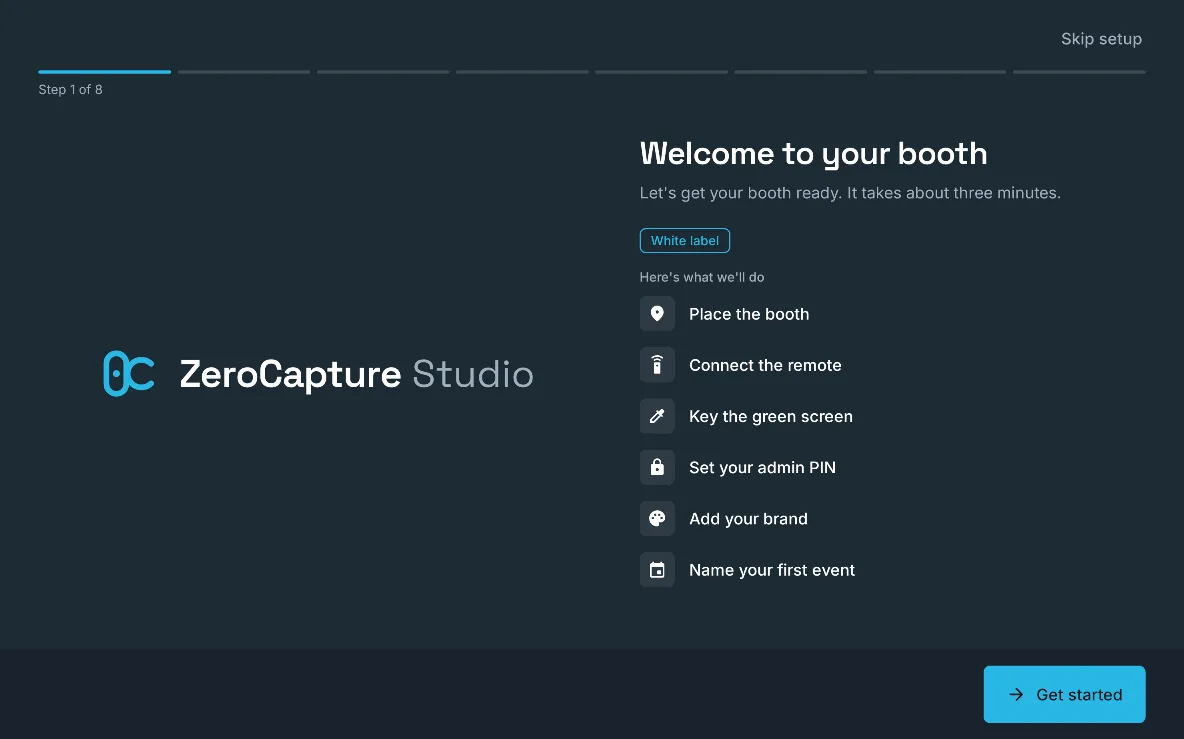
The first step of the setup guide, Welcome to your booth: place the booth, connect the remote, key the green screen, set your admin PIN, add your brand and name your first event, on a large screen in landscape.

Setup guide and booth tour

A short guide on first run places the booth, connects the remote, keys the green screen, sets the admin PIN and names your first event; then a spotlight tour points out each booth control, and after an upgrade a showcase lists what the plan adds.

Why it mattersFrom the box to the first photo in minutes, and you find every feature you paid for without a manual.

  • Free
  • Personal
  • White label
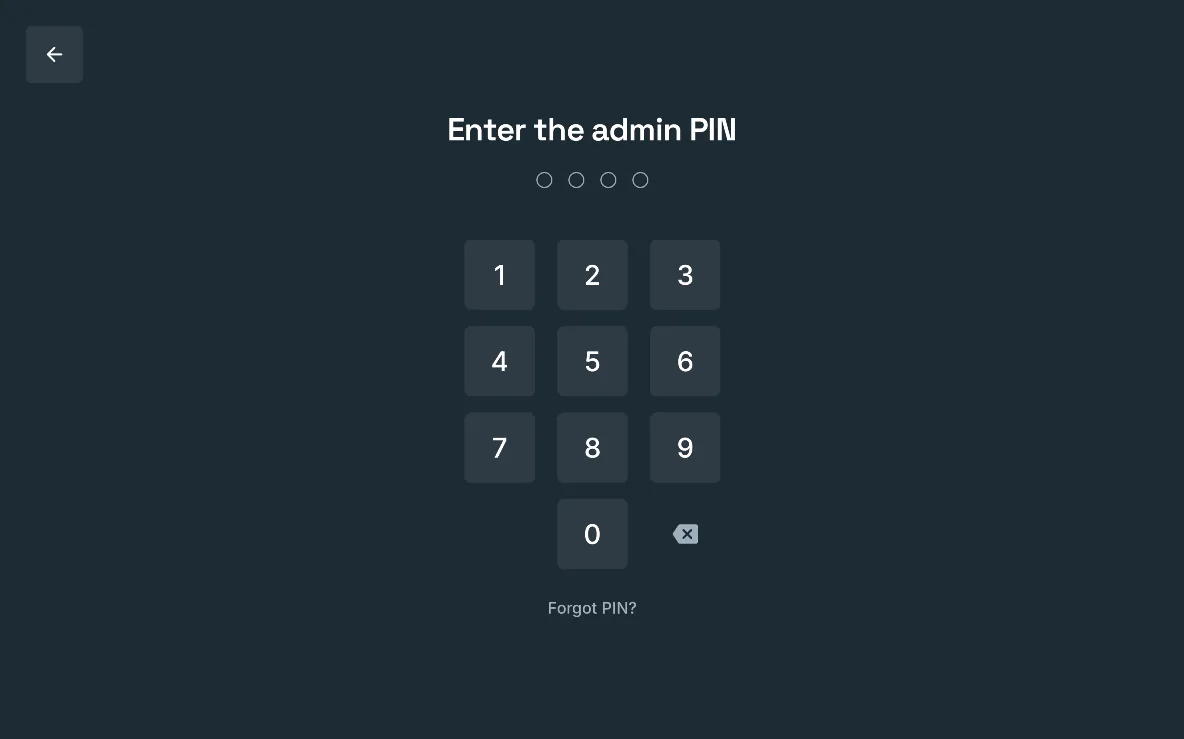
The admin PIN pad, “Enter the admin PIN”, with Forgot PIN?, on a large screen in landscape.

Admin PIN and recovery code

Admin is behind a PIN of 4 to 8 digits, with a lockout after wrong tries and a recovery code if you forget it.

Why it mattersGuests can't change your settings or see your purchases.

  • Free
  • Personal
  • White label
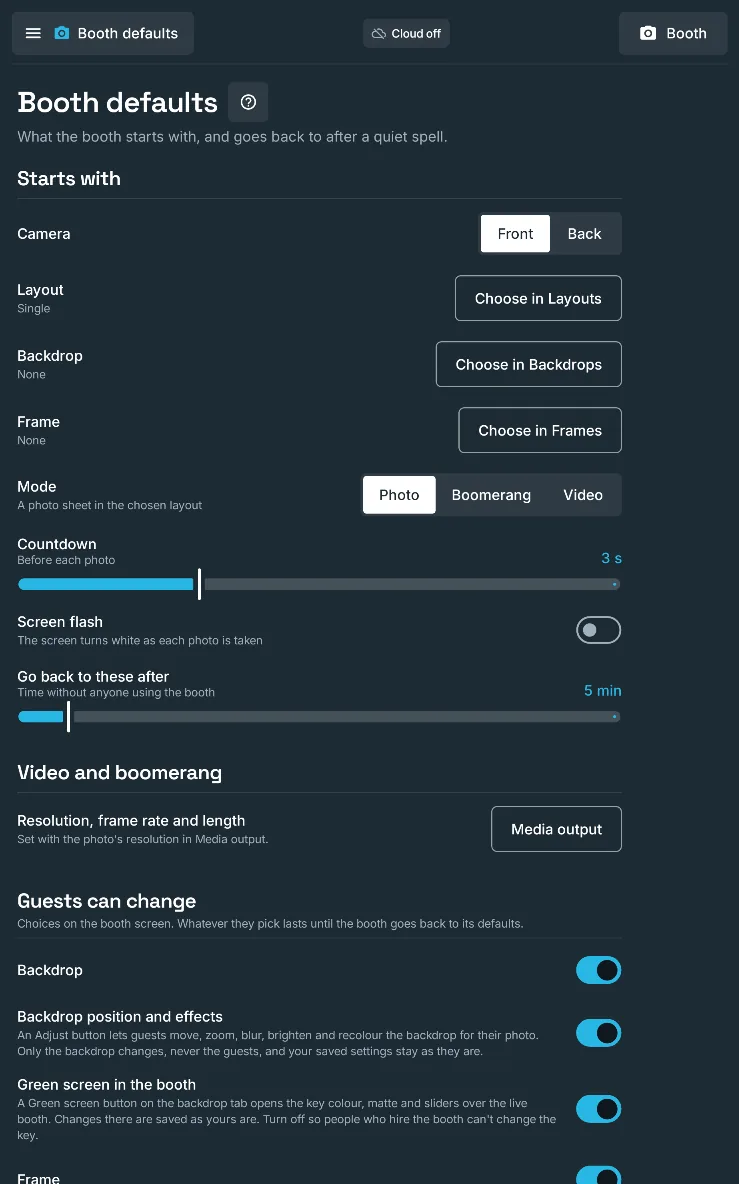
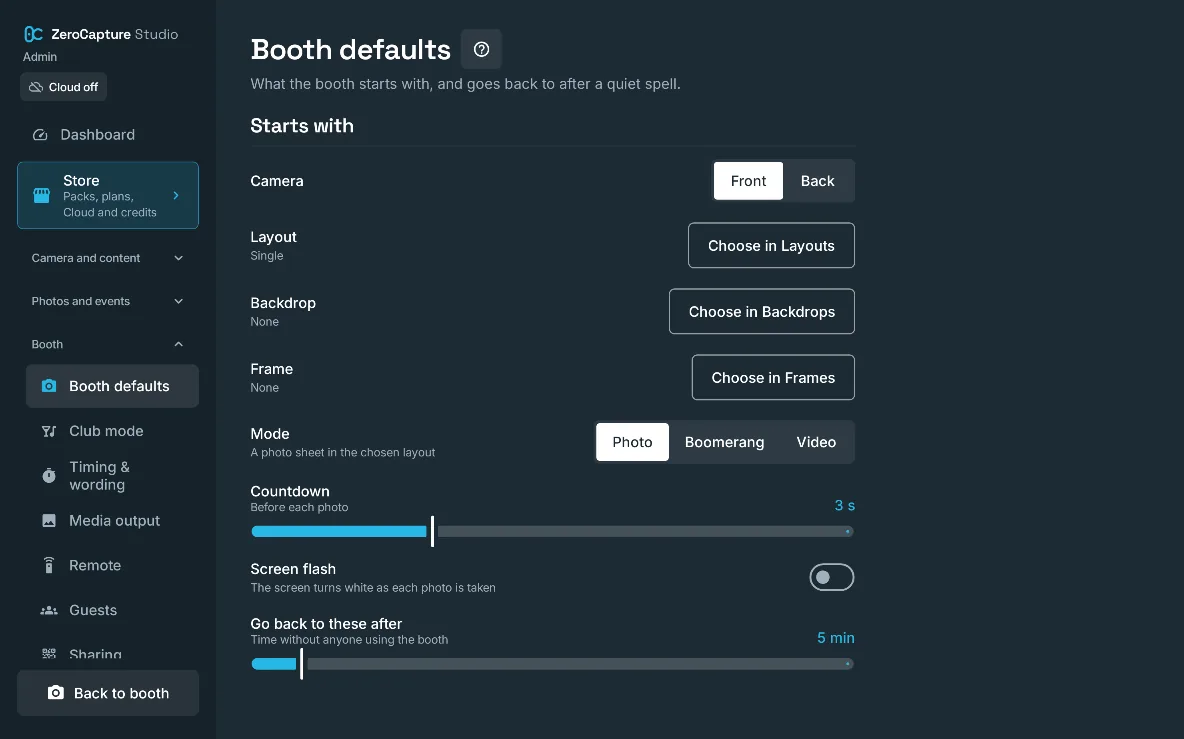
Booth defaults in admin: the camera, layout, backdrop, frame and mode the booth starts with, the countdown, the screen flash and what guests can change, on a large screen in landscape.

Kiosk mode and a hidden admin button

Pin the app to the screen so guests can't leave it, hide the admin gear behind a corner hold, and lock admin when idle.

Why it mattersLeave the booth unattended at a busy event.

  • Free
  • Personal
  • White label
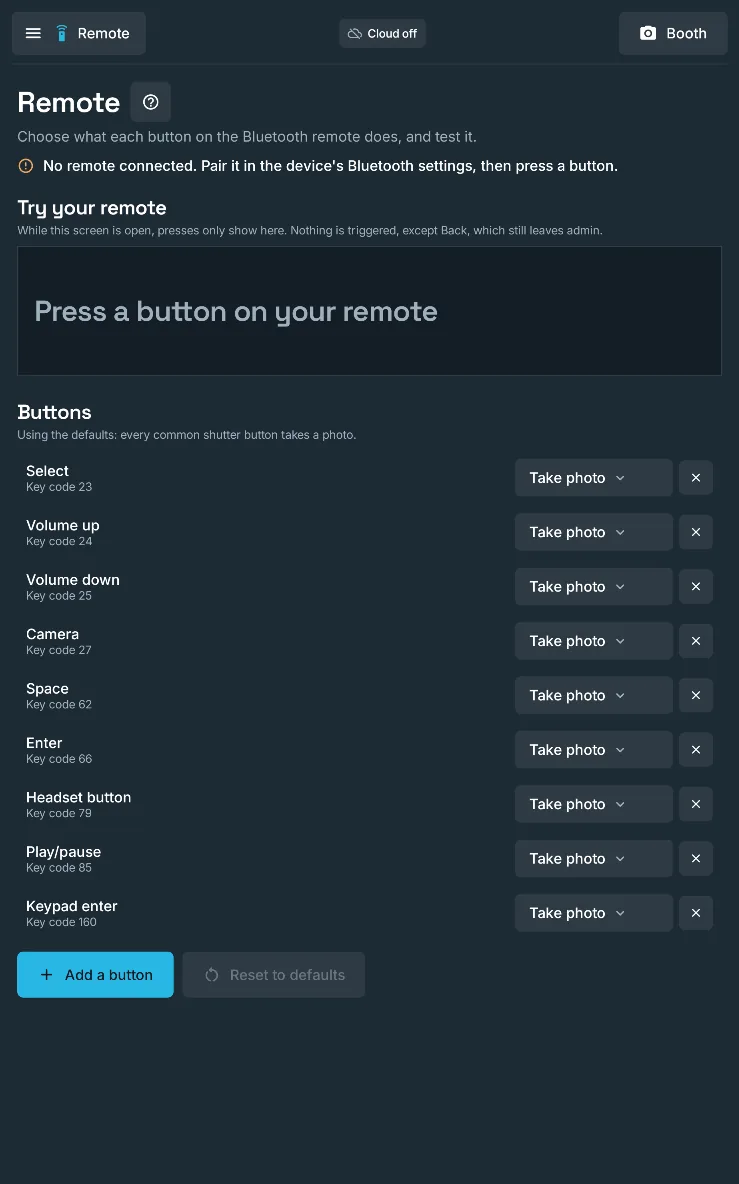
The Remote section of admin: each remote button set to Take photo, and a Try your remote panel that shows each press, on a large screen in portrait.

Remap remote buttons

Give any remote button a job (take photo, open the gallery, switch camera, a smile sound, retake or discard) and test each press live.

Why it mattersA two-button remote becomes a full controller, and you can check it works before guests arrive.

  • Free
  • Personal
  • White label

Free: every default button takes a photo; the tester works

Booth defaults in admin: the camera, layout, backdrop, frame and mode the booth starts with, the countdown, the screen flash and what guests can change, on a large screen in portrait.

Guests can change: you decide

One switch per booth control decides what guests may change, from the backdrop tab to the on-screen shutter.

Why it mattersA simple booth for a children's party, or every option for a fashion launch.

  • Free
  • Personal
  • White label
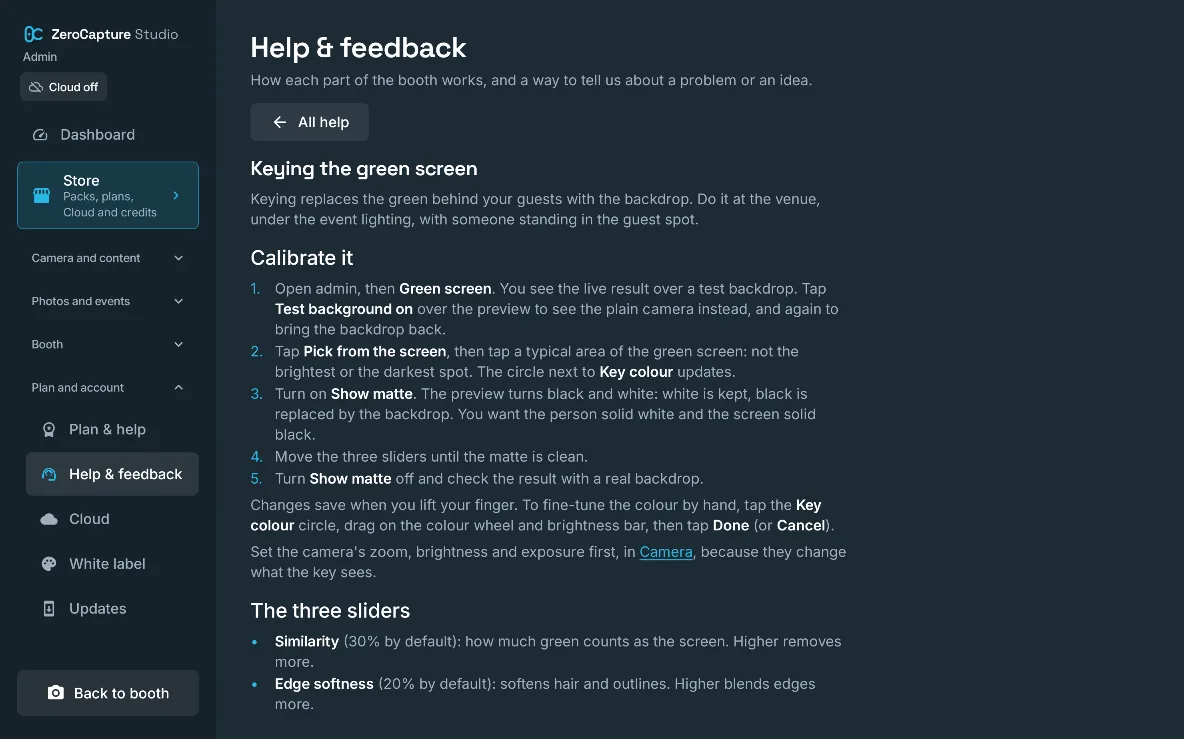
A help article in the app, Keying the green screen, with the steps to calibrate the key, on a large screen in landscape.

Help built into the app

Every admin section has a ? that opens its help article, searchable and readable offline; the same articles are on the website.

Why it mattersAnswers on the spot at the venue, even with no signal.

  • Free
  • Personal
  • White label
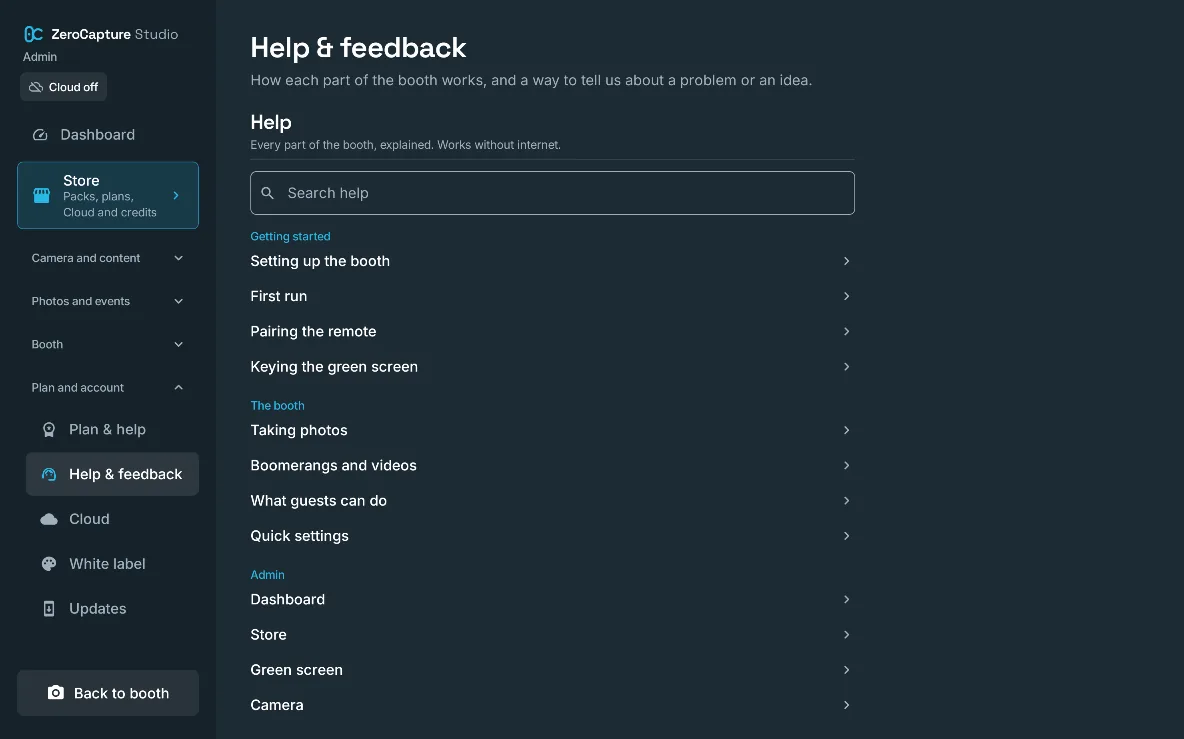
Help & feedback in admin: a search box and help articles grouped under Getting started, The booth and Admin, on a large screen in landscape.

Send feedback from the app

Report a problem or suggest a feature from admin, with a screenshot of the screen you came from and optional diagnostics, and follow each report's status.

Why it mattersGet help without describing your settings by email; nothing about guests is sent.

  • Free
  • Personal
  • White label

Updates through Google Play

Google Play installs and updates the app, keeping your photos, settings and branding, on every plan.

Why it mattersNew features arrive without reinstalling or re-setting anything.

  • Free
  • Personal
  • White label

Works offline

The booth runs with no internet; a paid plan keeps working for 30 days between checks with Google Play.

Why it mattersBarns, marquees and basements are no problem.

  • Free
  • Personal
  • White label

Personal and White label: 30 days between checks

08 · Plans · 5 features

Start free. Pay once. Or run a business on it.

Every plan has the live green-screen booth. Personal is yours for good, White label is licensed for business, and both are bought in the app through Google Play.

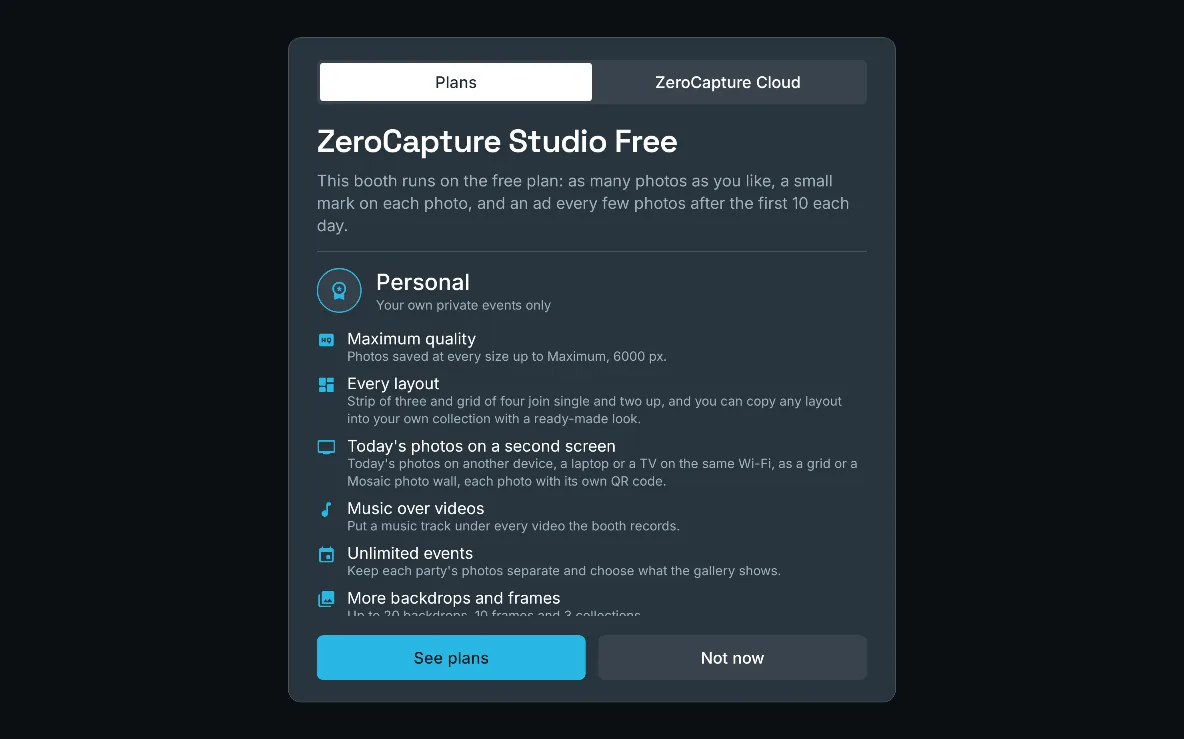
The plans card on Free: what Personal adds, with See plans and Not now, on a large screen in landscape.

Free plan

The full green-screen booth for your own party: unlimited photos, a small corner mark, Balanced quality, and the first 10 photos each day ad-free, then a short ad every fifth photo.

Why it mattersTry everything that matters before paying anything.

  • Free
  • Personal (not included)
  • White label (not included)
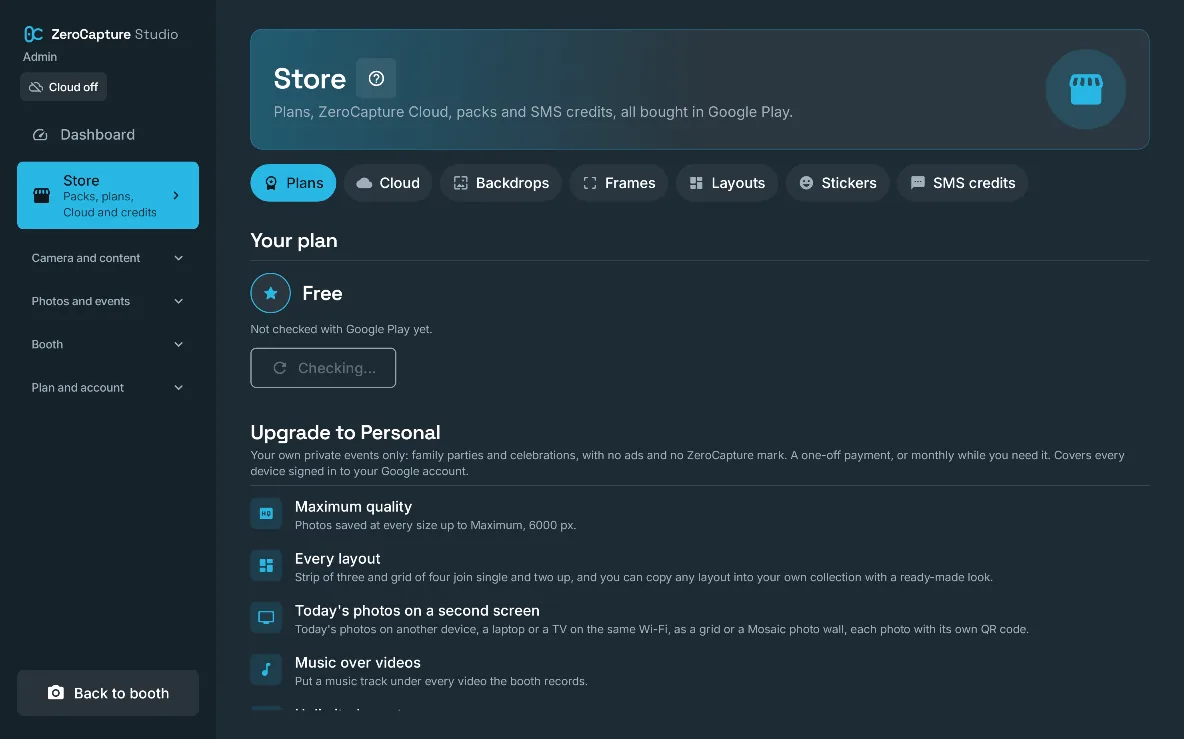
The Plans tab of the Store: your plan and what upgrading to Personal adds, on a large screen in landscape.

Personal: yours for good

Personal is a one-off payment that makes it yours for good, for your own private events, or a monthly payment for just the months you need it.

Why it mattersEvery layout, Maximum quality and Today's photos on a TV, with no ads and no mark, and nothing more to pay once it's yours.

  • Free (not included)
  • Personal
  • White label (not included)
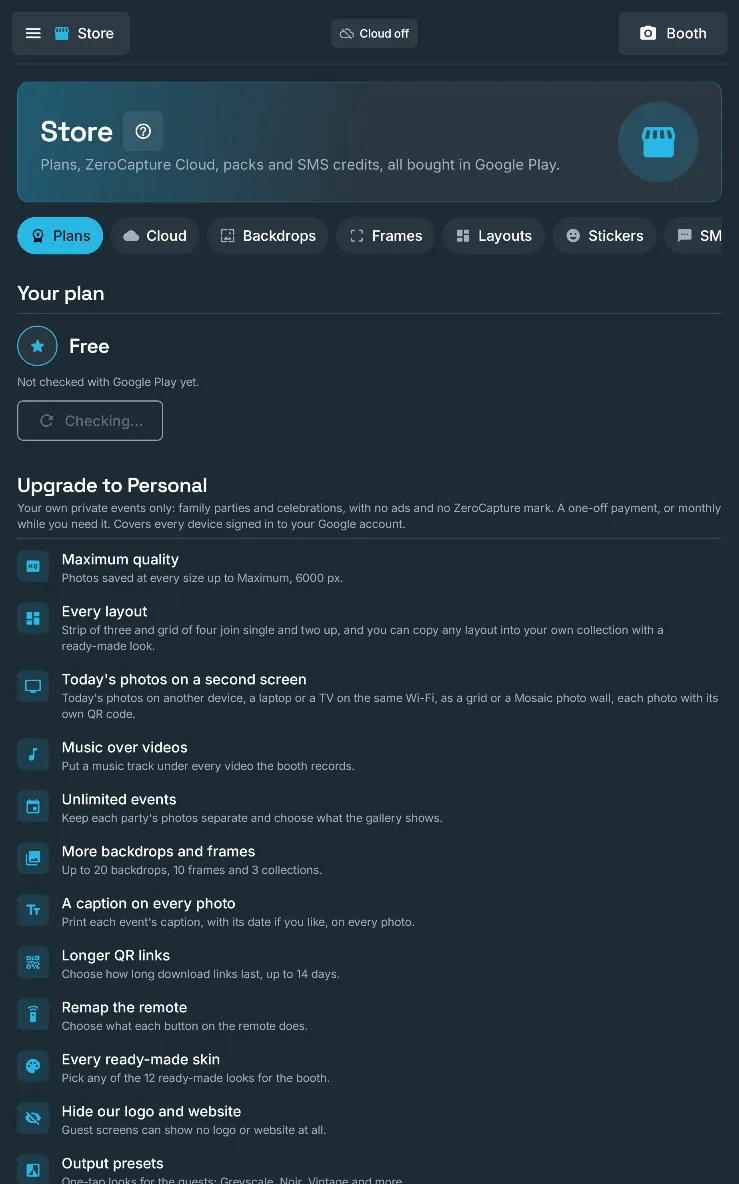
The Plans tab of the Store: your plan and what upgrading to Personal adds, on a large screen in portrait.

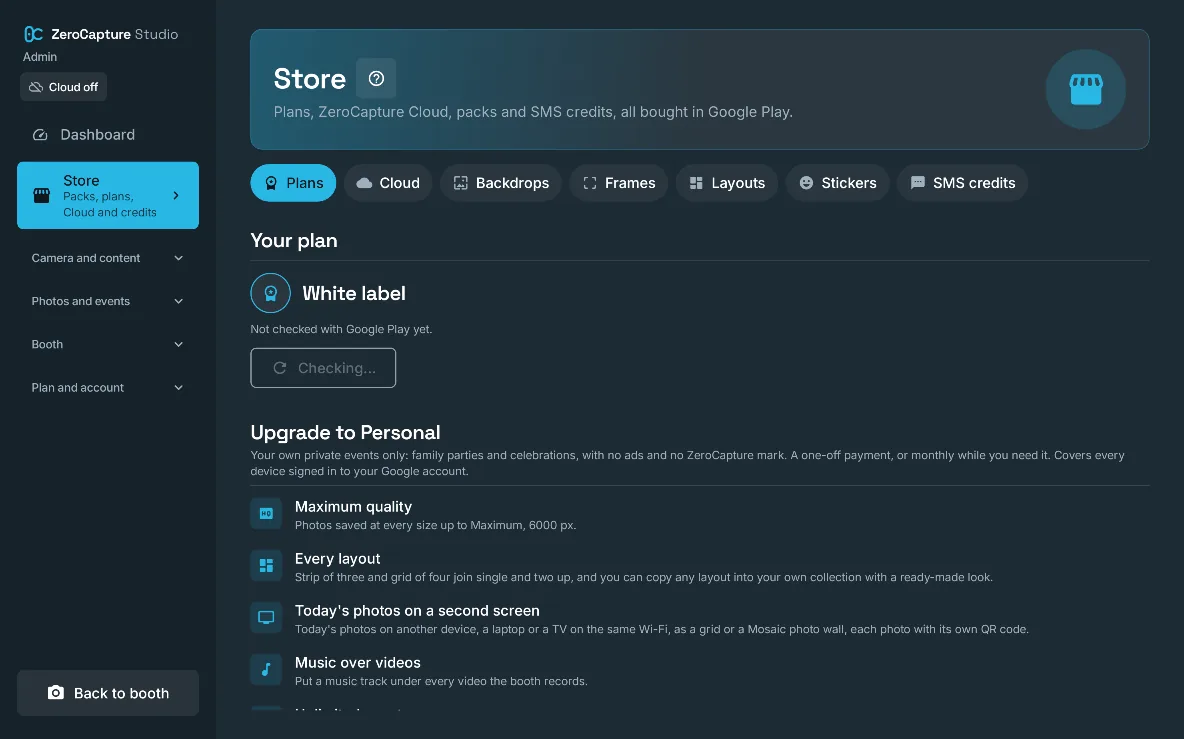
White label with a free trial

White label is a yearly or monthly subscription, licensed for any business use (hire, agencies and venues), with a 7-day free trial for new customers while Google Play offers it; yearly is discounted.

Why it mattersRun a photo booth business with the licence to match, and try every business feature at a real event before the first payment.

  • Free (not included)
  • Personal (not included)
  • White label
The Store in admin, with tabs for Plans, Cloud, Backdrops, Frames, Layouts, Stickers and SMS credits, and what upgrading to Personal adds, on a large screen in landscape.

The Store

Plans, ZeroCapture Cloud, content packs and SMS credits in one place, all bought through Google Play behind your admin PIN; plans and packs cover every device on your Google account, and Cloud and SMS credits every device signed in to your ZeroCapture account.

Why it mattersOne place to buy anything, and guests never see a price.

  • Free
  • Personal
  • White label

Nothing is lost when a plan changes

A lower plan never deletes anything: your content, settings, saved skins and fonts stay and come back with the plan (only the booth's active look goes back to ZeroCapture when White label ends).

Why it mattersUpgrade and downgrade without fear of losing work or the basics you paid for.

  • Free
  • Personal
  • White label
09 · ZeroCapture Cloud · 6 features

Every event backed up, and shareable online.

An add-on for any plan. Photos upload as they’re saved, online QR codes work on any phone with internet, and your clients get a gallery of their own.

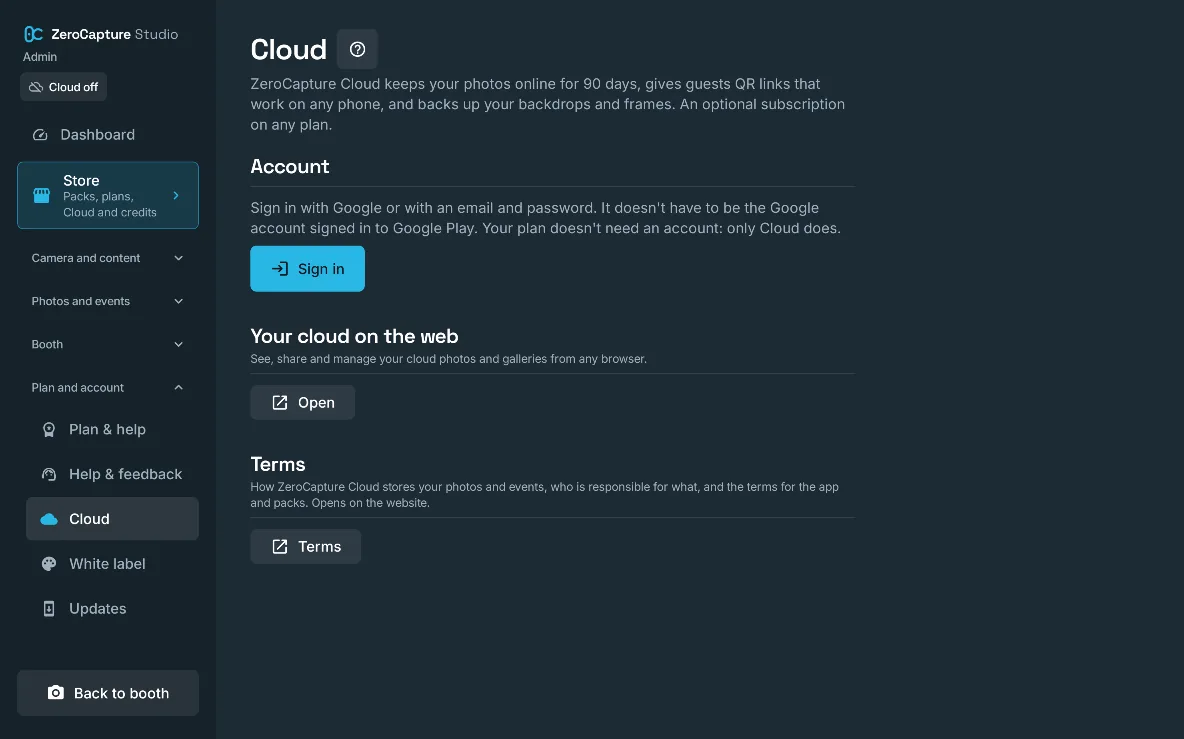
The Cloud section of admin, with Sign in and the terms, on a large screen in landscape.

Photos online for 90 days

With a free ZeroCapture account (Google or email), each photo uploads by event as soon as it's saved, on Wi-Fi only if you like, and stays online for 90 days, in 50 GB, 250 GB or 1 TB, monthly or yearly.

Why it mattersAn off-device copy of every event, with photos always saved on the device first; a Cloud chip and marks on each photo show what's online.

  • Add-on

Add-on, on every plan

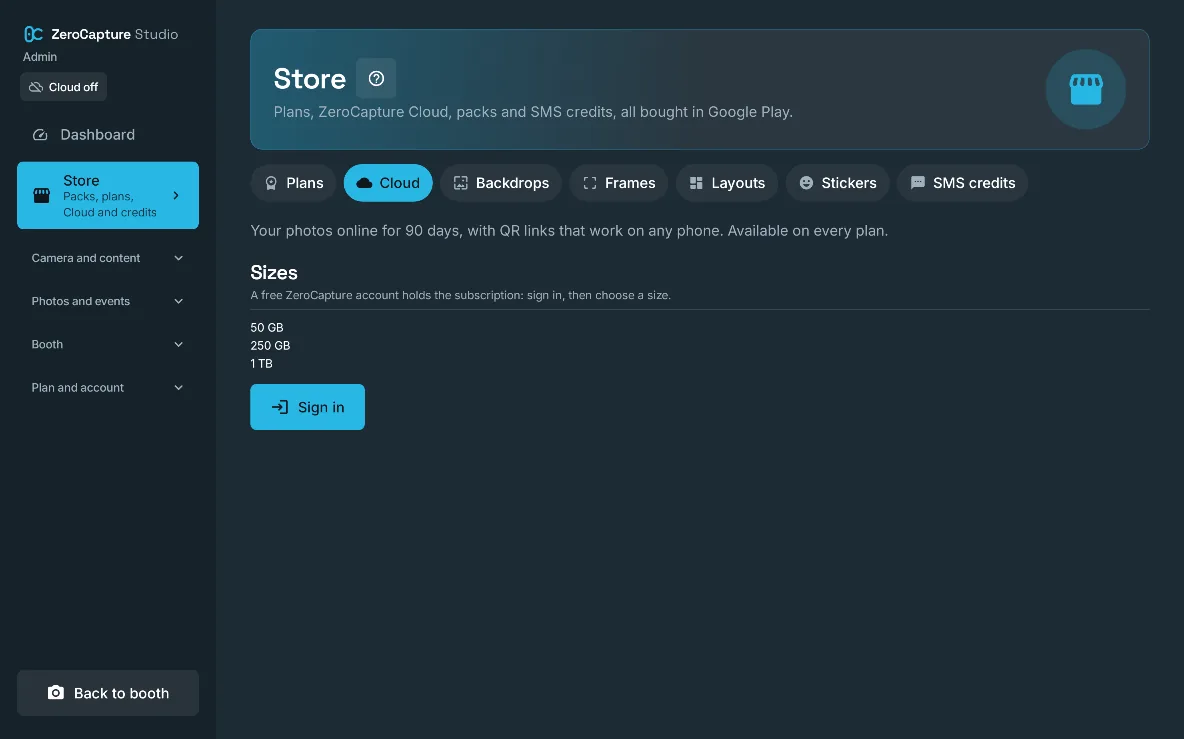
The Cloud tab of the Store: what Cloud does, the storage sizes and Sign in, on a large screen in landscape.

Online QR codes

An event can use online QR codes that open the photo on zerocapturestudio.com, on any phone with internet, for as long as you choose up to the photo's 90 days, and the booth tells guests their photos are stored online.

Why it mattersGuests download without joining any Wi-Fi, and can find the photo again the next day.

  • Add-on

Add-on, on every plan

Client galleries

A web page per event, in your branding only on White label (ZeroCapture's look on Free and Personal), with an optional password and an end date, where your client views and downloads the photos, with view and download counts and no guest data kept.

Why it mattersDeliver the event's photos to the client with a link as a professional service, and show them how many guests downloaded.

  • Add-on

Add-on, on every plan; your branding on White label

Several devices, backup and restore

Sign every booth in to one account under one subscription; backdrops, frames, collections and your own layouts are backed up, and any event's photos restore to another device, with 30 days to restore if Cloud ends.

Why it mattersRun two booths at one wedding, and a replaced device is back to your set-up in minutes.

  • Add-on

Add-on, on every plan

Your branding on client galleries

*White label > Use my branding online* sends the booth's logo, colours and fonts to ZeroCapture Cloud, so every client gallery and live screen the operator shares is branded the same as the booth.

Why it mattersClients see the operator's brand, not ZeroCapture's, on the galleries they pass round after the event.

  • Free (not included)
  • Personal (not included)
  • White label
  • Add-on

Your cloud on the web

*Cloud > Your cloud on the web* opens the operator's account on zerocapturestudio.com, to see, share and manage cloud photos and galleries from any browser; a link made there is the one the booth's QR code shows.

Why it mattersSend a client a gallery or a photo link from a laptop after the event, without the booth.

  • Add-on

Add-on, on every plan

See it on your own device.

Free runs the live green-screen booth on any Android 7.0 or later device with a camera. Upgrade in the app when the booth earns it.